
ai-eks/dsh-docking-layout
Dockable Session tabs and drag-to-split conversation groups for DeepSeek Harness
This is a DeepSeek Harness (DSH) plugin. Review its GitHub README, installation information, maintenance status, and public security signals here.
@ai-eks/dsh-docking-layout
English | 中文
这是一个 DeepSeek Harness Web UI 插件,用编辑器式分组组织不限数量的对话 Tab。可以自由拆分;窗格过小时由用户关闭或移动 Tab。
截图
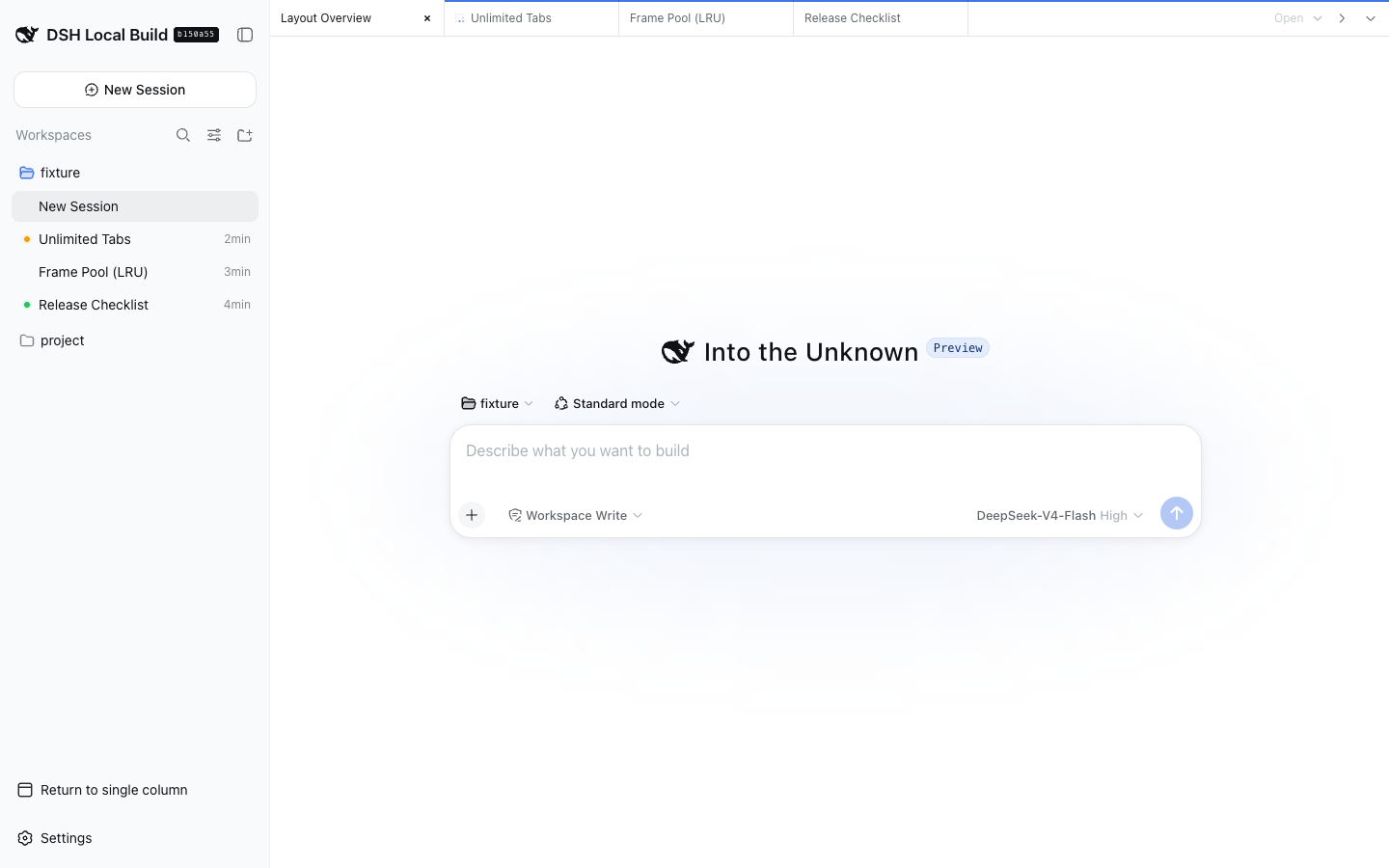
| 双窗格 | 三窗格 |
|---|---|
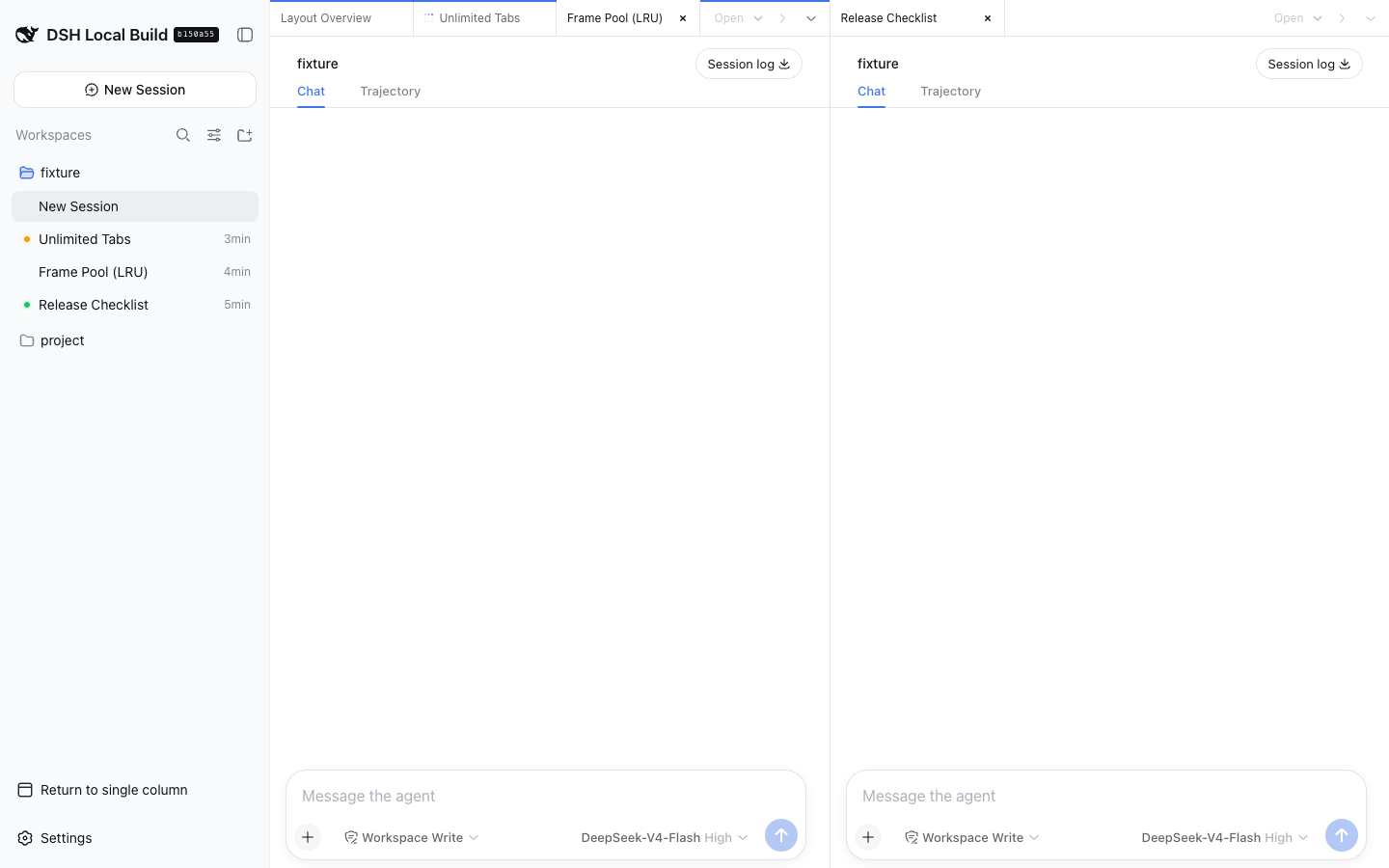 | 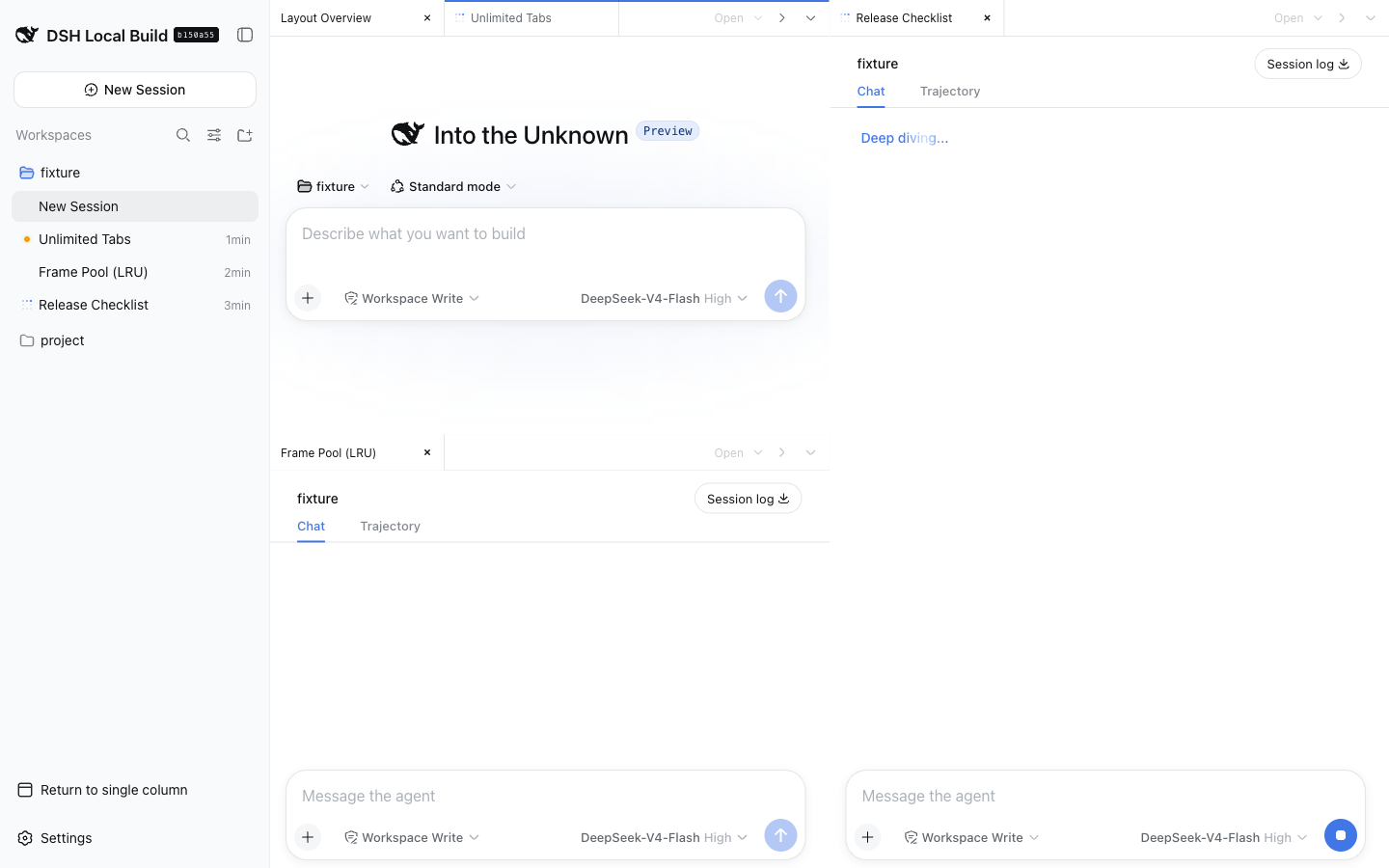 |
功能
- Tab 和分组数量不限,不设置固定的窗格尺寸门槛。
- 把 Tab 拖到另一分组可直接移动,拖到边缘可拆分;工具栏支持向右或向下拆分。
- 宽度不超过 760 像素时,一次显示一个全宽分组,并通过分组切换栏导航。
- 关闭 Tab 只改变浏览器布局,不会删除对应的 DSH Session。
安装
从 Git 安装:
dsh plugin --profile web add github:ai-eks/dsh-docking-layout
从本地 checkout 安装:
git clone https://github.com/ai-eks/dsh-docking-layout.git
cd dsh-docking-layout
pnpm install
dsh plugin --profile web add .
卸载插件:
dsh plugin --profile web remove @ai-eks/dsh-docking-layout
在 DSH 侧栏底部启用 Docking Layout。通过分组菜单或 DSH 侧栏打开 Session,再拖动 Tab 或使用拆分按钮调整布局。
性能与限制
iframe 池会保留每个分组的活动 Tab,以及最近使用的 2 个非活动 Tab;被淘汰的 Tab 再次打开时会重新加载。分组越多,浏览器内存和 DSH Web 连接数越高。
全局详情面板和伴随插件仍跟随外层 DSH Session。已归档 Session 和子 Agent 路由使用原生对话视图;触屏布局使用拆分按钮和分组切换栏,不依赖 Tab 拖拽。
插件只在浏览器本地保存布局偏好,不复制 Session 日志、提示词、审批或文件;所有嵌入页面均为同源页面。插件不会增加模型可见的提示词、工具、消息或 Session 事件。
兼容性
支持 DeepSeek Harness 0.1.0-rc.8 和 0.1.1-rc.2,并兼容 dsh-better-sidebar。
开发验证
pnpm install
pnpm typecheck
pnpm test
pnpm build
Security & install evidence
This score is based solely on public repository metadata and the install evidence registered here — it is not a code security audit.
From a public plugin catalog, linked to a public GitHub repository.
The repository declares the MIT license.
Code updates within the last 180 days.
No verifiable install metadata registered yet — please review the repository instructions manually.
Detected prepare — review the scripts before installing.
lifecycle-scripts