
keyiadiannao/dsh-restart-button
Self-contained power control for DeepSeek Harness: sidebar power button with upward restart/shutdown menu, Windows-shutdown-style overlay, own restart & shutdown engine (no dependency on other plugins).
This is a DeepSeek Harness (DSH) plugin. Review its GitHub README, installation information, maintenance status, and public security signals here.
dsh-power-button


DeepSeek Harness 的自包含电源与生命周期控制插件:侧边栏底部电源按钮 + 上拉重启/关机菜单 + 全屏过渡动画。重启/关机引擎内置在本插件中,不依赖第三方插件。
由 DeepSeek AI 辅助开发,发布前经人工 review。
功能
- 侧边栏电源按钮:注册到页脚操作位(
sidebar.footer.action),主题自适应,外观与旁边的"设置"按钮一致 - 重启/关机菜单 + Windows 关机风格全屏过渡动画;重启确认后页面自动刷新
- 自包含重启引擎:写一个 detached 的
.cjshelper,等旧进程退出、端口释放后,用相同的execPath/execArgv/argv/cwd重新拉起 DSH。不使用 PowerShell、不使用taskkill /restart与/shutdown命令,以及restart_harness模型工具(与anweat/dsh-restart同名;若名字已被其它插件占用则跳过注册)- 界面与宿主文案本地化(中文 / English),跟随 profile 的
locale.preference - 启动清理:自动清理运行目录下超过 7 天的
restart-helper-*.log
截图
① 侧边栏电源按钮 —— 主题适配的底部常驻入口,风格与相邻的设置按钮一致。

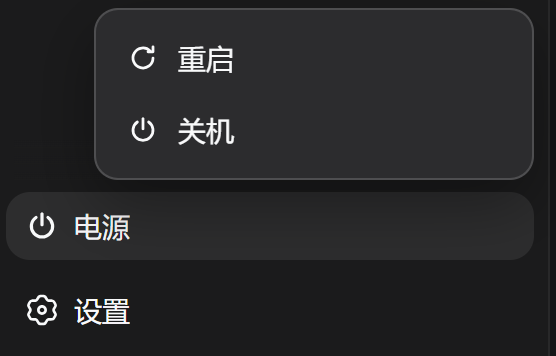
② 重启 / 关机菜单 —— 点击电源按钮展开,两个动作一次到位。
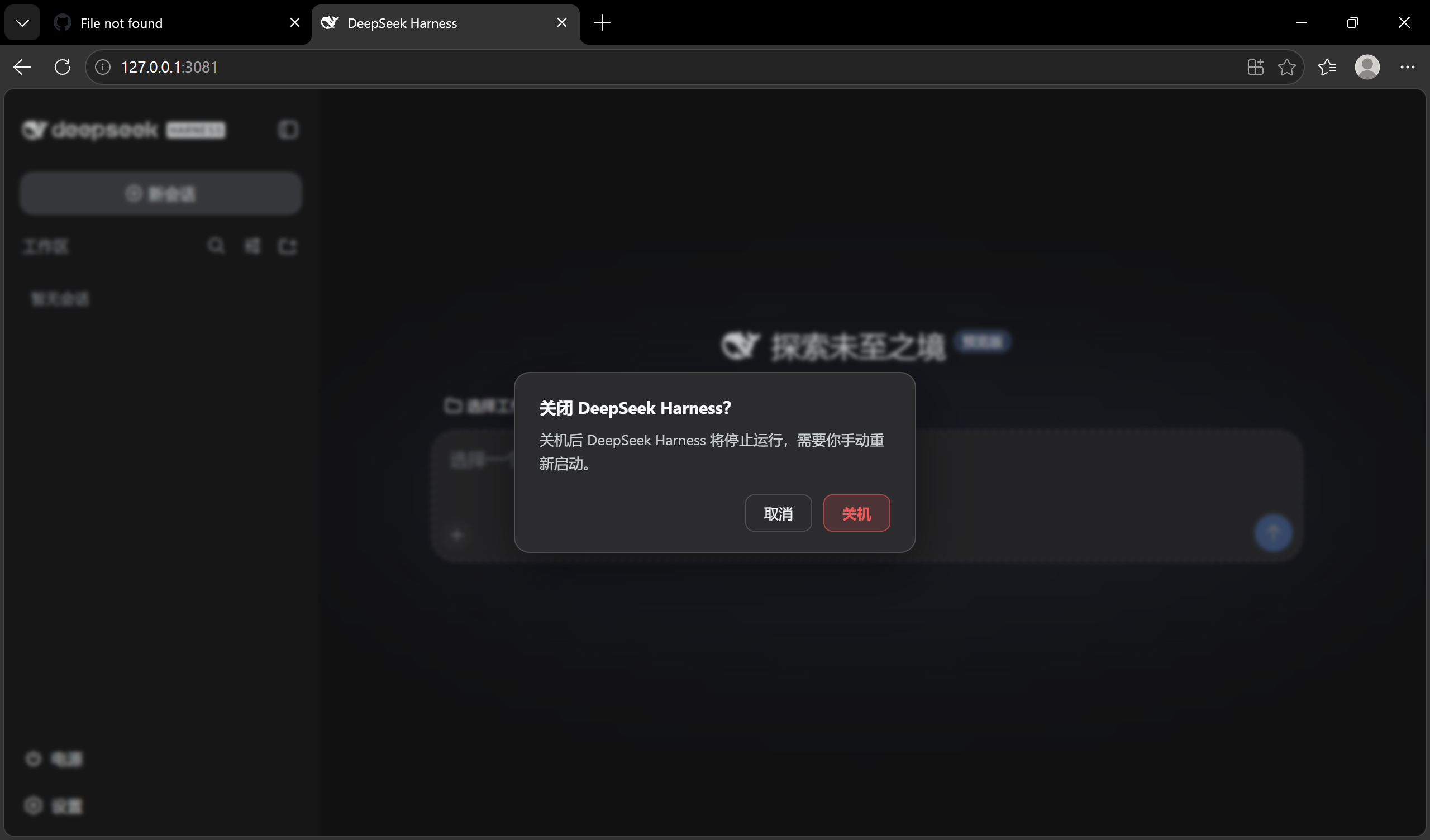
③ 关机确认对话框 —— 防误触设计:默认焦点在「取消」,只有显式确认才会真正停止进程。
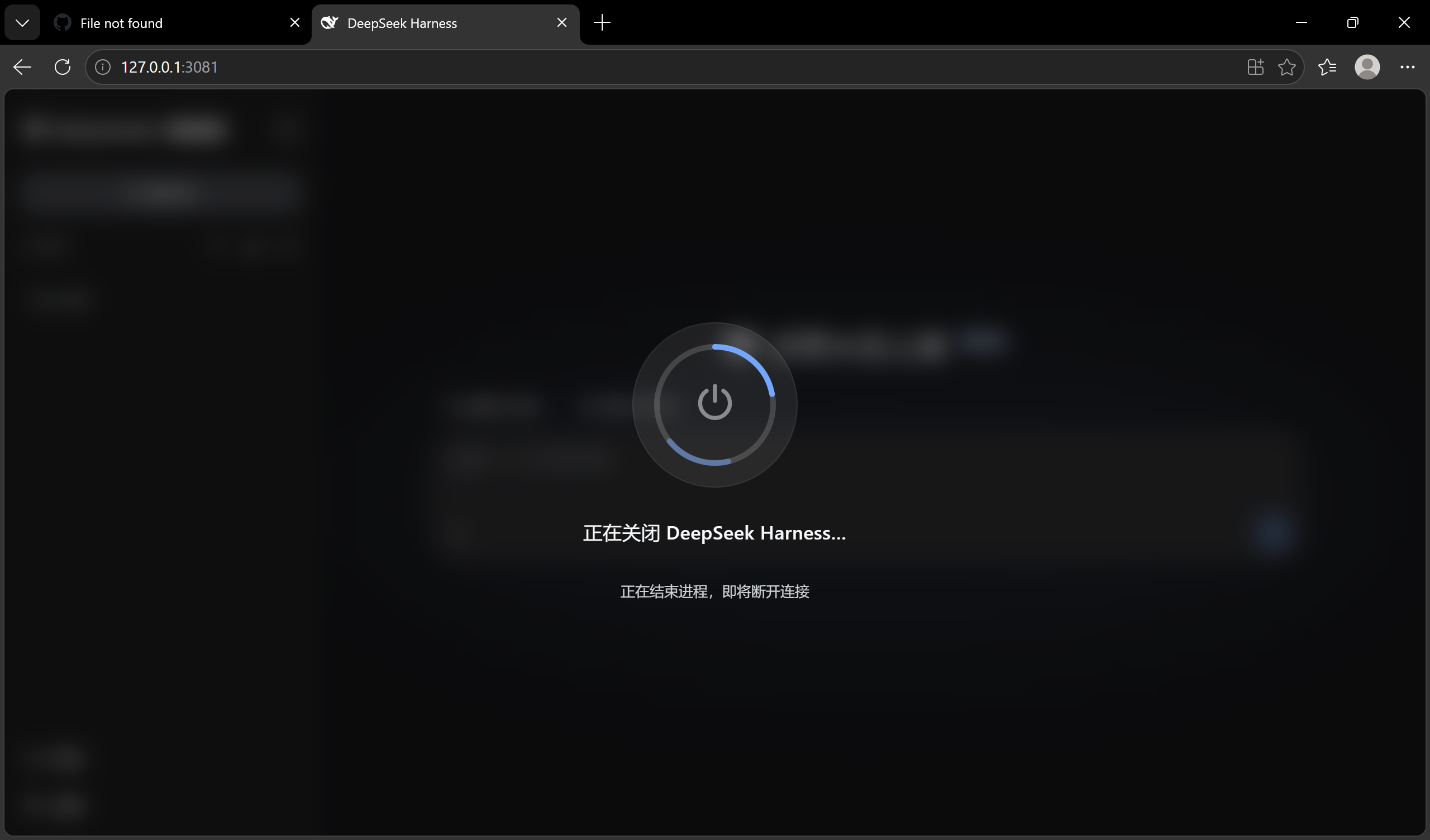
④ 关机进度遮罩 —— Windows 风格全屏过渡,进程收尾时显示当前阶段。
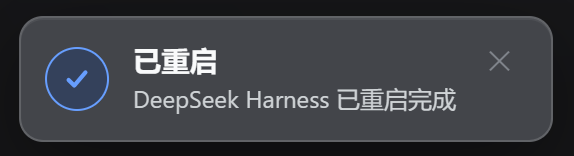
⑤ 重启完成提示 —— 页面自动重载后,成功提示确认 DSH 已恢复。
安装
dsh plugin --profile web add "github:keyiadiannao/dsh-power-button#master"
重启 DSH 后生效:侧边栏底部出现电源按钮。需要 Node ≥ 22.19。
配置
通过 profile 的 cordis 层配置(cordis.patch.yml 或设置界面):
| 键 | 默认 | 含义 |
|---|---|---|
enableModelTool | true | 注册 restart_harness 模型工具。设 false 则重启仅保留在 GUI 按钮与 /restart。 |
maxDelayMs | 5000 | 模型工具 delayMs 参数的上限(ms)。有效下限为 1000 ms。 |
示例:
- id: dsh-power-button
  config:
    enableModelTool: true
工作原理
点击电源 → 菜单 → 重启
[宿主]   POST /api/dsh-power-button/restart
         → 写 ~/.dsh/restart-helper-<pid>-<ts>.cjs
         → spawn `node <helper>` (detached, windowsHide)
[助手]   等旧 PID 退出 → 等端口释放 → 用相同 execPath/argv/cwd 重新拉起 DSH → 自删
[宿主]   响应刷出后终止
[客户端] 轮询 health → 确认新 instanceId → 自动刷新
关机则 POST /api/dsh-power-button/shutdown,终止且不拉起。由于关机不可逆(进程停止后需手动启动),GUI 在关机前会弹确认对话框,需要再次点击确认才执行。(/shutdown 命令与模型工具保持单次触发;模型不暴露关机。)
开发中踩过的坑:
- helper 必须脱离进程树(detached + unref),否则终止 DSH 时 helper 一起被杀
- helper 写成真实 .cjs 文件而非
node -e:多行node -e脚本会被 WindowsCreateProcess破坏成静默SyntaxError - 重启成功以每次进程独立的
instanceId变化(旧→新)为准,短暂离线本身不算成功 - 持久写静止检查:旧进程退出、端口释放后,helper 轮询所有会话日志的
(size, mtimeMs)直到连续两次采样一致(上限约 15 秒)才重启。旧进程主循环退出后其会话写缓冲可能仍在落盘;在仍在追加的文件上拉起新进程会插入旧 seq 造成会话损坏——此检查封堵了这个窗口
安全
- 破坏性 POST 带 同源/loopback 防护(CSRF):socket 必须是 loopback、
Host必须是 loopback 权威、浏览器Origin必须匹配 - at-most-once 锁:并发重复触发会被拒绝(第二次返回
409) - 模型工具
delayMs下限 1000 ms——模型无法在自身 turn 结束前杀掉进程 - 重启 marker 在启动时消费即删除,后续普通启动不会误报"重启过"
- 命令行日志脱敏(凭据不会进入
~/.dsh/restart-helper-<pid>.log);helper 与 marker 文件以0600写入,运行目录0700
重启确认——纯 UI 提示,绝不写入会话
重启成功后,插件会在界面角落弹出一条本地化的 已重启 / Restarted
toast。这是纯 UI 提示:不会向任何会话日志写入内容。(此前的设计会向
恢复的会话追加合成的 assistant/message(turn: 0, step: 0)——该方案会
触发 token-meter 的 step 配对不变量并可能损坏大会话,已移除。上游跟踪:
deepseek-ai/DeepSeek-Harness#802。)
机制:
- 启动时若消费到重启 marker,
/health会报告restarted: true, fromInstanceId: <old> - 客户端加载后查询一次
/health;若restarted为真则显示 toast,然后通过POST /api/dsh-power-button/notice-shown确认,避免刷新后重复弹出 - 由于确认消息完全不触碰会话文件,重启不再可能损坏会话日志或留下未配对事件
开发
npm run build        # tsdown:host + client bundle
npm run typecheck    # tsc --noEmit
npm test             # vitest:marker 生命周期、delayMs 下限、argv 脱敏、日志清理
测试通过 vitest setup 文件隔离 DSH_HOME,不会触碰真实的 ~/.dsh。
产物:host 在 lib/index.js,client bundle 在 lib/client.js(均已入库,git 安装免构建)。
License 与致谢
MIT。"detached helper 重新拉起"的思路参考了 anweat/dsh-restart(MIT); 实现为独立编写(真实 .cjs 文件、无 PowerShell、动态端口),未复制其代码。
Security & install evidence
This score is based solely on public repository metadata and the install evidence registered here — it is not a code security audit.
From a public plugin catalog, linked to a public GitHub repository.
The repository declares the MIT license.
Code updates within the last 180 days.
No verifiable install metadata registered yet — please review the repository instructions manually.
The inspected package metadata declares no install lifecycle scripts.