
lcthe/dsh-skills-hub
DSH plugin: centralized skill manager — browse, enable/disable, import from Codex/ZCode, auto-discover skills
This is a DeepSeek Harness (DSH) plugin. Review its GitHub README, installation information, maintenance status, and public security signals here.
dsh-skills-hub
DSH Skill Manager — 集中管理所有 AI Agent 的 Skills
🎯 项目目标
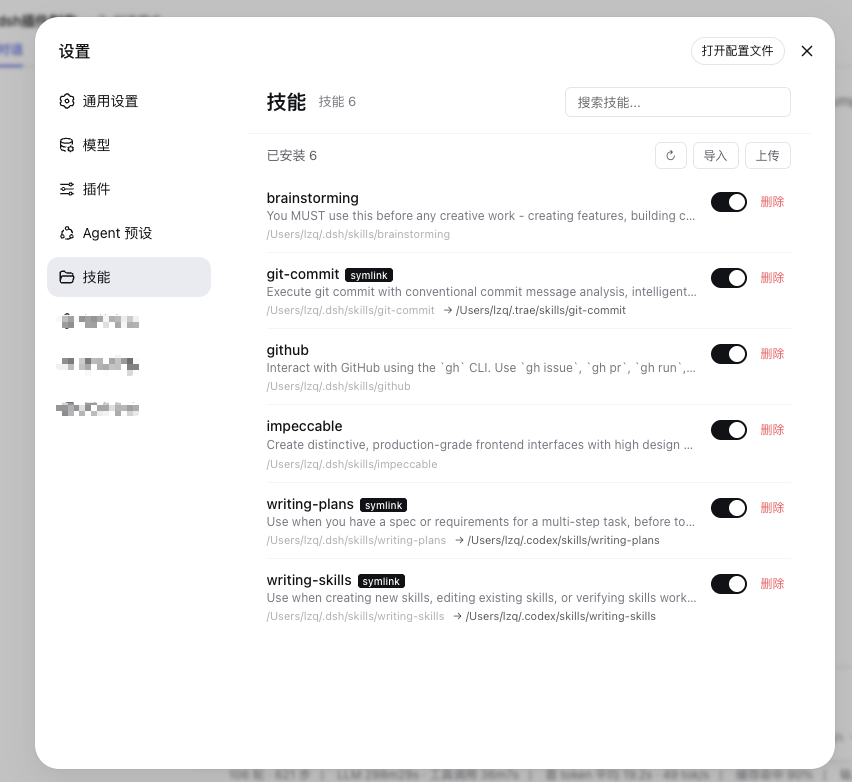
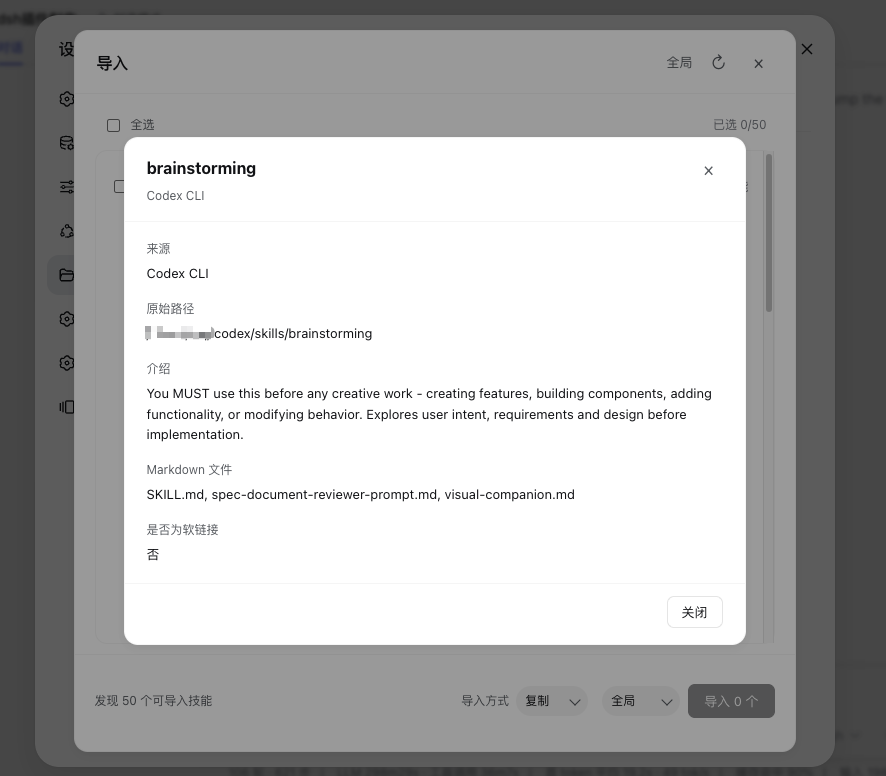
为 DeepSeek Harness (DSH) 提供一个浏览器设置页面,用于浏览、搜索、查看详情、导入、上传和安全删除 skills。范围选择器可以在全局 skills 目录和已注册工作区之间切换。
✨ 核心功能
- Skill 浏览器:列表展示已安装的 skills,支持搜索和详情查看
- 安全删除:删除技能目录或软链接,软链接目标不会被删除
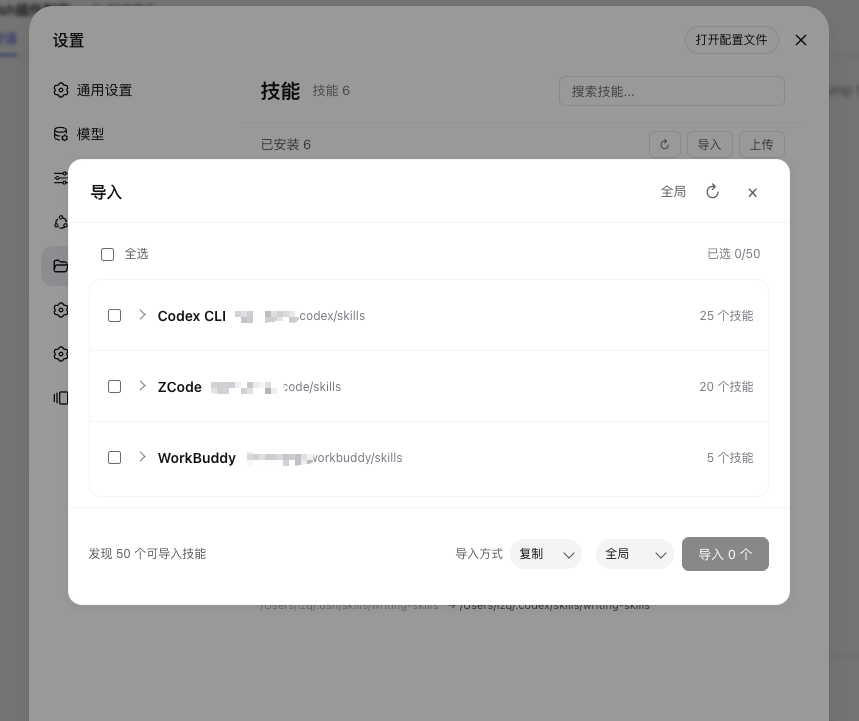
- 跨平台导入:从 Codex、Claude Code、ZCode、WorkBuddy 和 QCoderWork 导入 skills
- 本地上传:将本地技能文件夹上传到全局或已注册工作区
- 范围选择:在全局 skills 目录和已注册工作区之间切换
截图
📐 需求规格
详见 SPEC.md
🏗️ 技术栈
- DSH Client Plugin (Web)
- React + TypeScript
- CSS Modules
- DSH Slot System
📦 安装
需要使用带有浏览器客户端的 DeepSeek Harness 部署方式,包括带 Web UI 的桌面版或 Web 版。安装后,在 DSH 的设置 → 技能中打开技能管理页面。
pnpm add @lcthe/dsh-skills-hub
然后在 cordis.yml 中、与其他 bundle 项目相同的 include 层级添加插件:
- insert:
    - id: dsh-skills-hub
      name: '@lcthe/dsh-skills-hub'
启动 DSH Web 客户端:
pnpm dsh web
DSH 启动后,打开设置 → 技能即可管理已安装的 skills。插件会扫描 DSH 自己的 skills 目录,并发现 Codex、Claude Code、ZCode、WorkBuddy 和 QCoderWork 中可导入的技能。
本地开发
如果要使用本地源码而不是已发布的 npm 包,可以在 DSH profile 的 package.json 中添加 file: 依赖:
{
  "dependencies": {
    "@lcthe/dsh-skills-hub": "file:/path/to/dsh-skills-hub"
  }
}
然后将 @lcthe/dsh-skills-hub 加入 dsh.profile.bundles,并在源码目录执行构建:
pnpm install
pnpm run build
🤝 贡献
欢迎提交 Issue 和 PR!
📄 License
MIT
Security & install evidence
This score is based solely on public repository metadata and the install evidence registered here — it is not a code security audit.
From a public plugin catalog, linked to a public GitHub repository.
The repository declares the MIT license.
Code updates within the last 180 days.
No verifiable install metadata registered yet — please review the repository instructions manually.
The inspected package metadata declares no install lifecycle scripts.