
Ratevoid/dsh-aseprite
Unofficial Aseprite-compatible pixel editor and sprite animation plugin for DeepSeek Harness.
This is a DeepSeek Harness (DSH) plugin. Review its GitHub README, installation information, maintenance status, and public security signals here.
dsh-aseprite
兼容 Aseprite 文件格式的像素画 / 精灵动画编辑器插件,运行在 DeepSeek Harness 的 Web GUI 中。
- 🎨 会话头部出现 🎨 按钮,点击展开/收起编辑器面板(停靠在输入框上方)。
- ✏️ 工具:铅笔 / 橡皮 / 油漆桶 / 取色器 / 直线 / 矩形 / 框选区域;支持撤销、重做、滚轮缩放、网格、洋葱皮、可调笔刷/橡皮大小,以及可拖拽左、右、上、下面板边界。
- 🤖 框选一部分后点击 ASK,输入局部调整要求;插件会把放大的选区 PNG 和坐标作为图片附件发给当前 DSH 会话 AI。AI 回复会留在对话中供确认,编辑器像素不会自动改写。
- 🧩 蓝图工作流:点击工具栏的 🧩 打开 ComfyUI 风格的可视化节点图;节点可拖动,点击输入/输出端口即可连线。
- 被动蓝图(例如裁剪透明边界、像素描边、裁剪并描边)完全在本地执行,一次创建后可无限复用,不调用 LLM。
- 主动蓝图包含 LLM 节点,会把选区和节点提示发送给当前会话 AI。
- 点击 AI 创建蓝图 描述完整任务;AI 返回的 dsh-blueprint JSON 会自动解析、校验并保存到浏览器蓝图库,无需手动复制 JSON。蓝图库支持 UI 导入/导出。
- 🧅 图层:新建 / 删除 / 上移 / 下移 / 显示隐藏。
- 🎞️ 帧动画:新增 / 复制 / 删除帧、每帧时长(ms)、播放预览。
- 🎨 调色板:内置 DB16 / PICO-8 风格 16 色调色板,可自定义颜色、追加色板、点击取色。
- 💾 读写 .aseprite 工程文件(纯 JS 实现,无需安装 Aseprite),支持 RGBA / 灰度 / 索引色读取与压缩 cel 解压;另支持导出当前帧 PNG 与整张 Sprite Sheet PNG。
演示
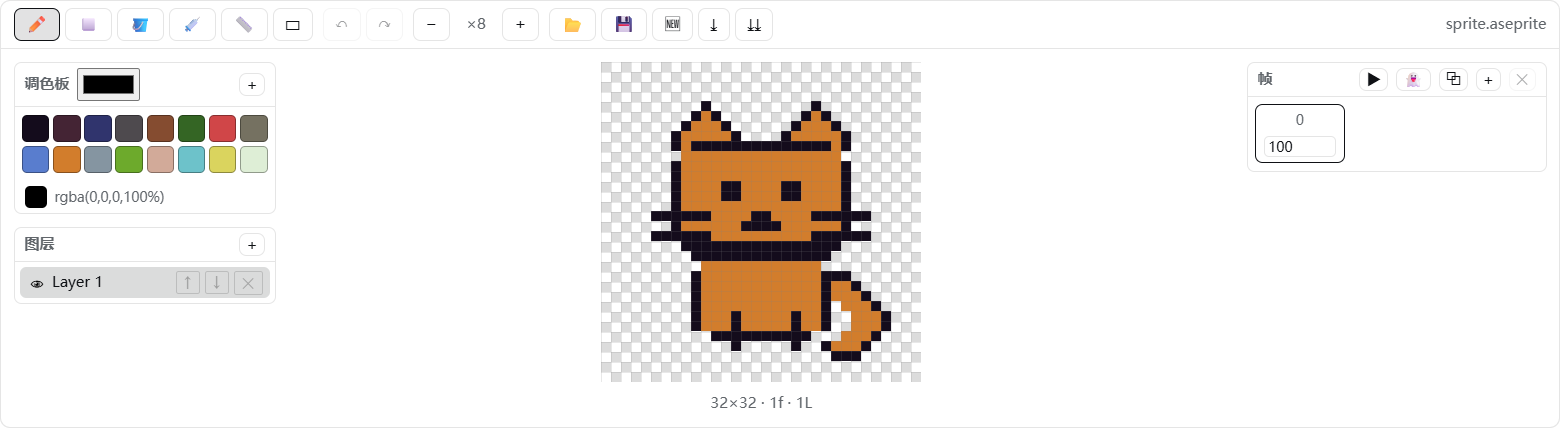
画布特写:

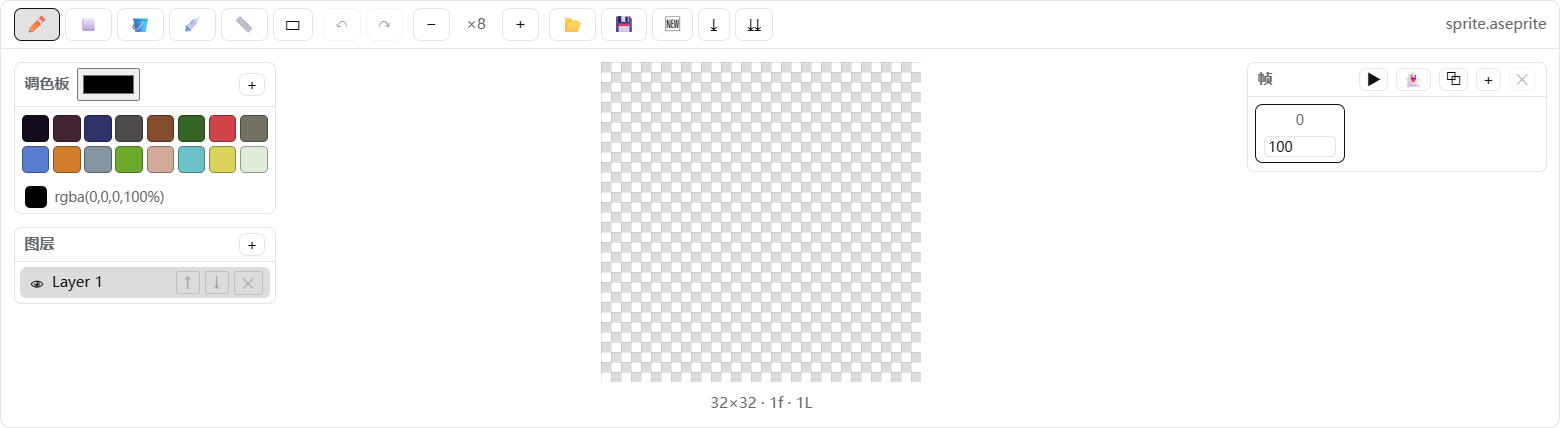
透明背景使用标准方形棋盘格:
原理
- 宿主端(
lib/index.js):仅作为 loader 行存在,让dsh.client声明被扫描;编辑器本身 100% 运行在浏览器里。 - 客户端(
client/client.js):遵循window.__ModuleLoader__.load({ id, factory })契约,通过ctx.slots注册到conversation.session.header.actions(头部按钮)和conversation.input.dock(停靠面板)。 - 编解码(
src/ase-codec.js):按 Aseprite 文件格式规范 实现,写入 32bpp RGBA + raw cel + 新版调色板 chunk,Aseprite 可直接打开。
目录结构
dsh-aseprite/
├── package.json        # dsh.bundle.patch + dsh.client 声明
├── README.md           # English documentation
├── README.zh-CN.md     # 中文文档
├── LICENSE
├── assets/             # GitHub 演示图
├── cordis.patch.yml    # loader 行:- id: aseprite, name: 'dsh-aseprite'
├── lib/index.js        # 宿主端(极简)
├── client/client.js    # 浏览器 bundle(构建产物)
├── src/ase-codec.js    # ASE 二进制编解码
├── src/editor.js       # 文档模型 + 绘制/图层/帧操作 + 导出
├── src/blueprints.js   # 安全声明式蓝图图引擎 + 本地库
├── src/client.js       # React UI + apply()
├── tests/blueprints.test.mjs # 蓝图规范化/执行/解析测试
└── scripts/build.mjs   # 零依赖构建脚本
开发 / 构建
node scripts/build.mjs      # 重新生成 client/client.js
pnpm test:blueprints       # 运行蓝图引擎测试
安装(本机)
已通过 dsh plugin --profile web add 安装。手动重装:
# 将路径替换为本地插件目录;如无需显式 store-dir 可省略该参数
dsh plugin --profile web add --store-dir "<your-pnpm-store>" "file:<path-to-dsh-aseprite>"
装完后重启 DeepSeek Harness(关闭并重新打开),刷新页面,会话头部出现 🎨 按钮即成功。
卸载
dsh plugin --profile web remove dsh-aseprite
并删除 profile cordis.patch.yml 里手写的 aseprite 条目(如有),重启应用。
Security & install evidence
This score is based solely on public repository metadata and the install evidence registered here — it is not a code security audit.
From a public plugin catalog, linked to a public GitHub repository.
The repository declares the MIT license.
Code updates within the last 180 days.
No verifiable install metadata registered yet — please review the repository instructions manually.
The inspected package metadata declares no install lifecycle scripts.