
技能悬浮窗
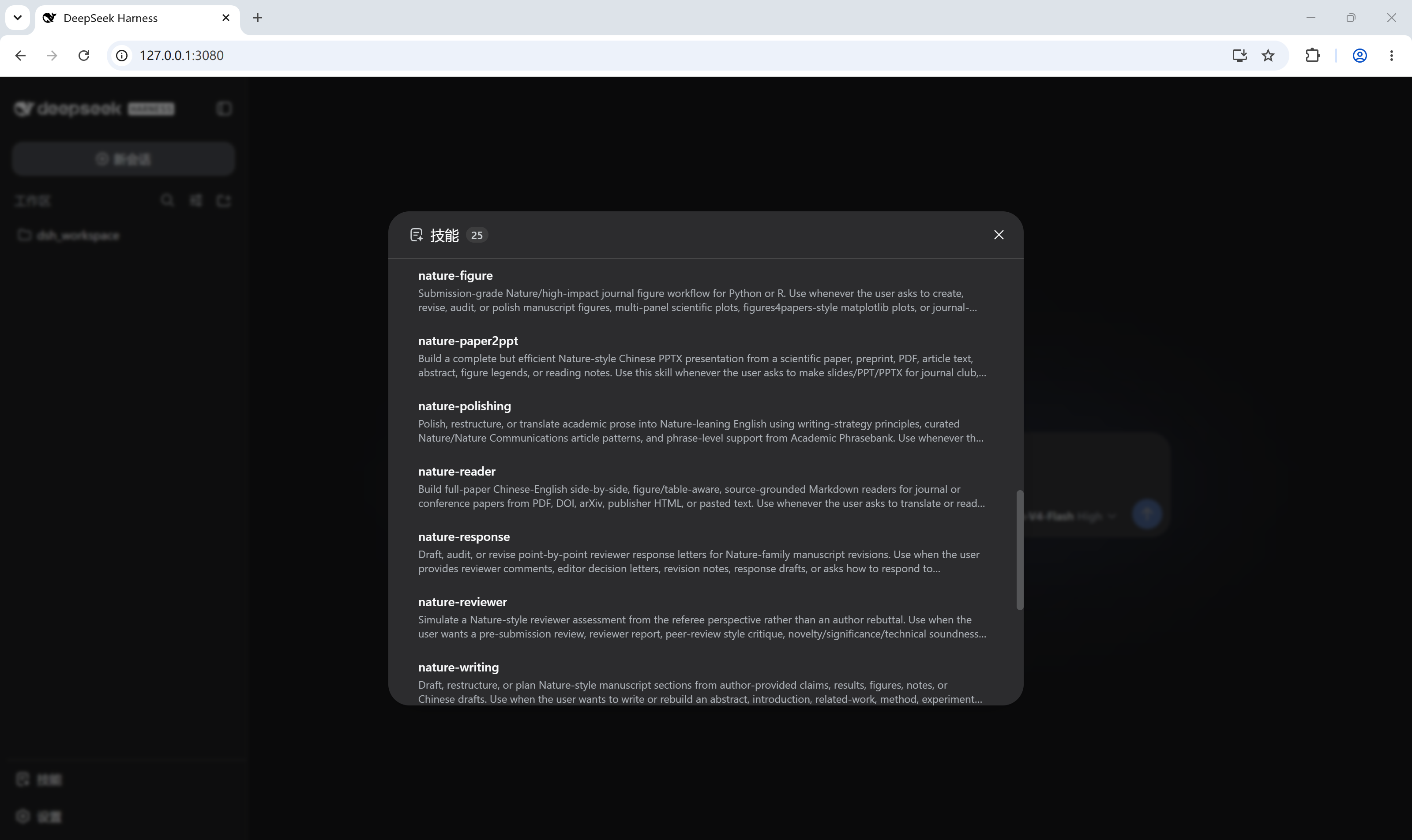
DeepSeek Harness plugin: a skill trigger in the sidebar foot that opens a dialog (same form and feel as the built-in Settings dialog) listing the current session's loaded skills, each with an "open local folder" jump to its directory on disk.
これは DeepSeek Harness(DSH)プラグインです。当サイトは GitHub README、インストール情報、メンテナンス状況、公開セキュリティシグナルをまとめています。
上流で中国語 README が提供されていないため、リポジトリのオリジナルコンテンツを表示しています。
dsh-skill-panel
DeepSeek Harness plugin: a skill trigger in the sidebar foot that opens a dialog (same form and feel as the built-in Settings dialog) listing the current session's loaded skills, each with an "open local folder" jump to its directory on disk.
- Zero configuration —
dsh plugin addwires the plugin row automatically via the bundleddsh.bundle.patch; nocordis.patch.ymledits. - No custom RPC — the catalog rides the platform's
skill.listRPC and folder jumps ridehost.openPath. ThedirectoryPathfield is an optional host enhancement: on hosts that do not expose it, rows simply render without the folder button (the dialog still lists every skill). - Auto-refresh — the host's
skills/changeevent (plus a 30s poll fallback for older cores) keeps an open dialog in sync when skills are added, removed, or edited on disk — no reopening, no manual refresh. - Bilingual — simplified Chinese and English UI copy follows the web UI's locale.
Install
dsh plugin --profile web add github:<user>/dsh-skill-panel
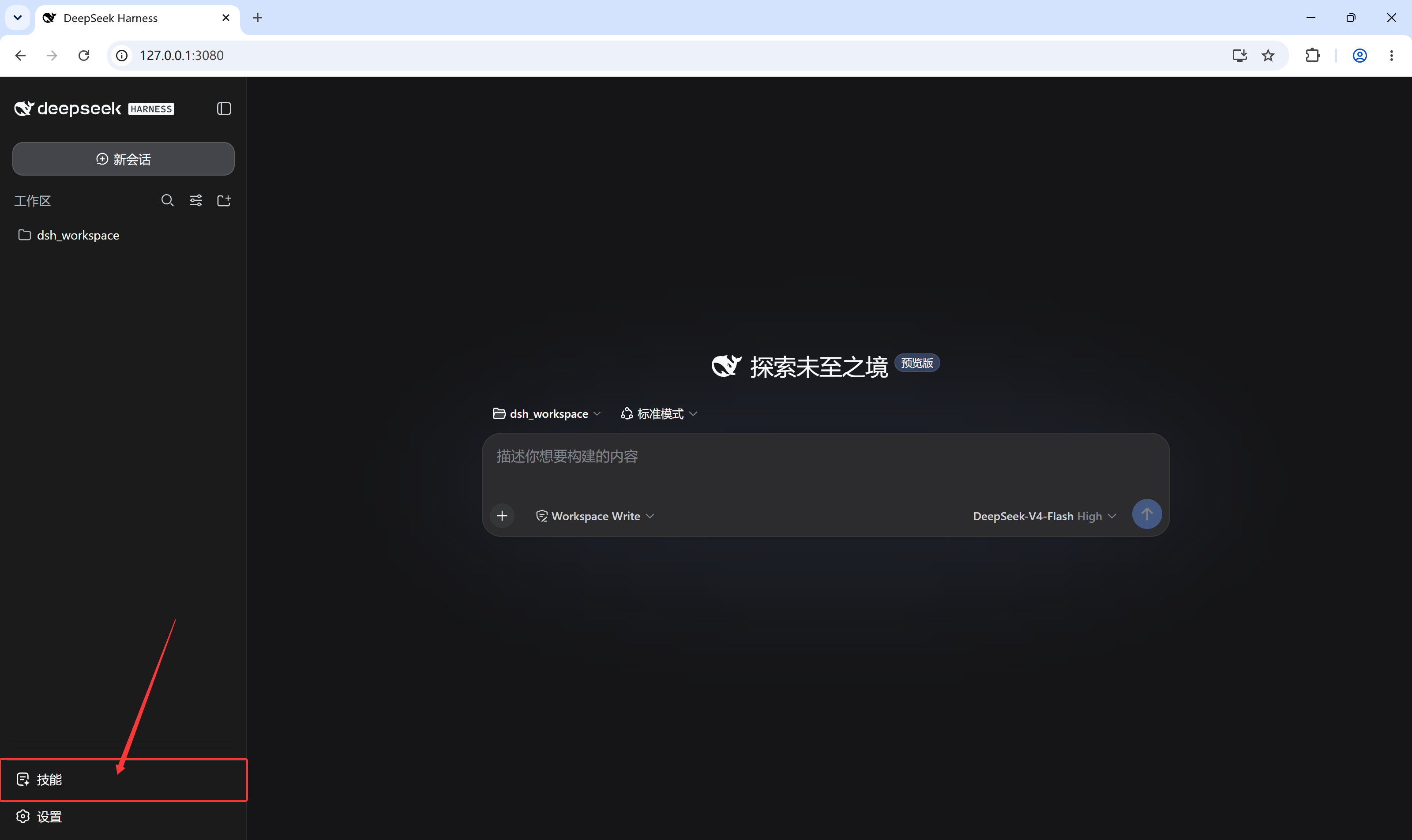
Then restart dsh web. A skill icon appears at the bottom of the left
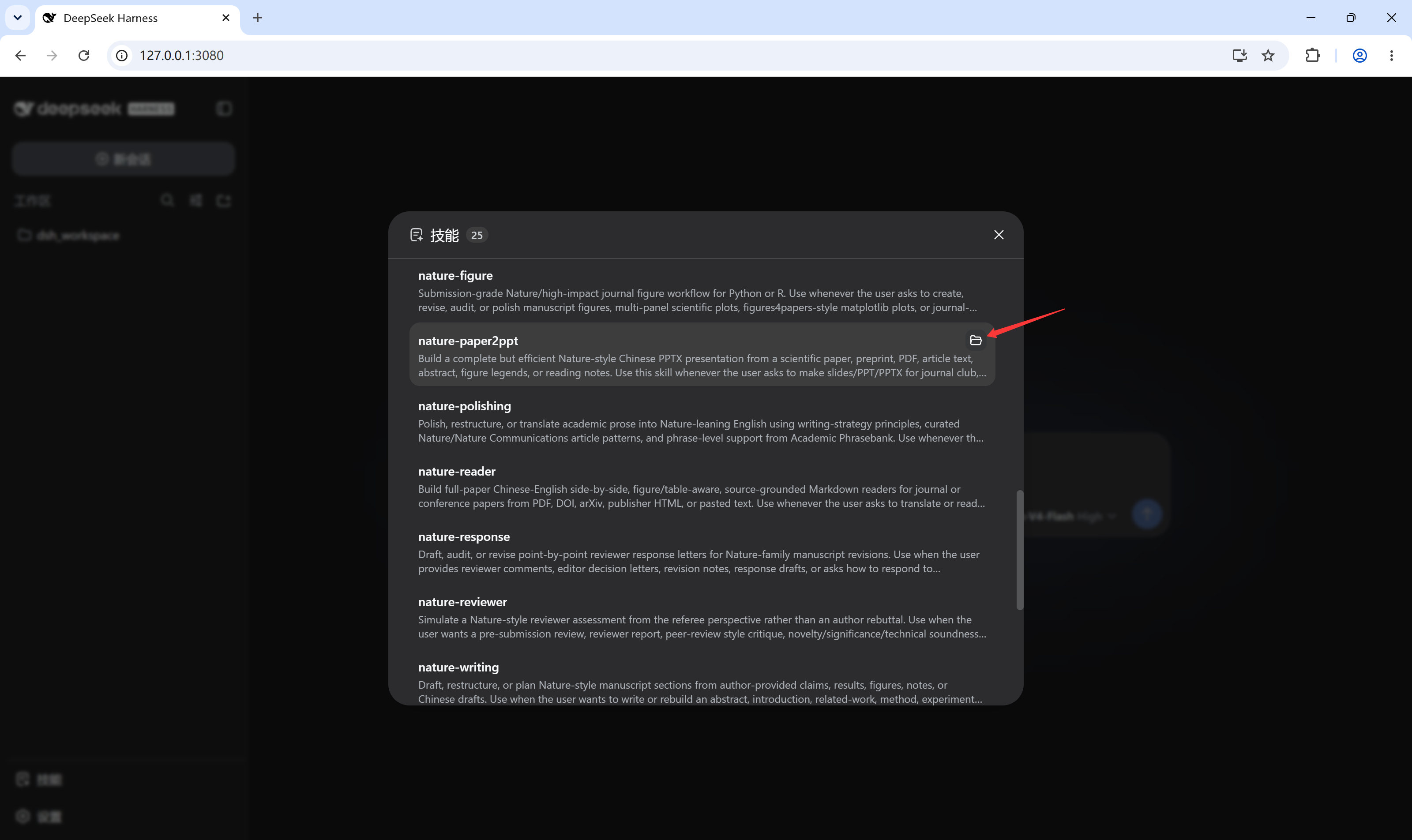
sidebar (beside Settings). Click it to open the skills dialog; hover a skill
row to reveal its folder button.
Usage
- The dialog shows the current session's skill catalog (name, routing
description, and a
user-onlybadge where applicable), re-fetched per-session and cached alongside the composer's/skill menu. - Click the folder icon on a row to open that skill's local directory with the Host's default application (e.g. Explorer / Finder).
Screenshots
The skill trigger sits at the bottom of the left sidebar, beside Settings:
Clicking it opens the loaded-skills dialog:
Hovering a skill row reveals the folder button that opens that skill's local directory:
Development
npm install        # esbuild only
npm run build      # bundles src/client.jsx -> lib/client.js (also runs via prepare on install)
The client bundle is a single CJS file; @deepseek-ai/* and react-family
modules stay external because the dsh shell provides them as platform-static
modules. Commit lib/client.js — git-hosted installs consume the built
artifact directly.
License
セキュリティとインストールエビデンス
このスコアは公開リポジトリメタデータと当サイトに登録されたインストールエビデンスのみに基づくもので、コードセキュリティ監査とは異なります。
公開プラグインカタログから取得し、公開 GitHub リポジトリにリンクしています。
リポジトリは MIT ライセンスを宣言しています。
過去180日以内にコードの更新があります。
再現可能な正確なインストールメタデータはまだ登録されていません。リポジトリの説明に従って手動で確認してください。
確認したパッケージメタデータにインストールライフサイクルスクリプトは宣言されていません。