
设计模式
Design mode for DeepSeek Harness — a self-hosted alternative to Claude Design, Open Design, Google Stitch, and Figma Make, built on the DeepSeek Harness agent engine.
これは DeepSeek Harness(DSH)プラグインです。当サイトは GitHub README、インストール情報、メンテナンス状況、公開セキュリティシグナルをまとめています。
上流で中国語 README が提供されていないため、リポジトリのオリジナルコンテンツを表示しています。
Deep Design
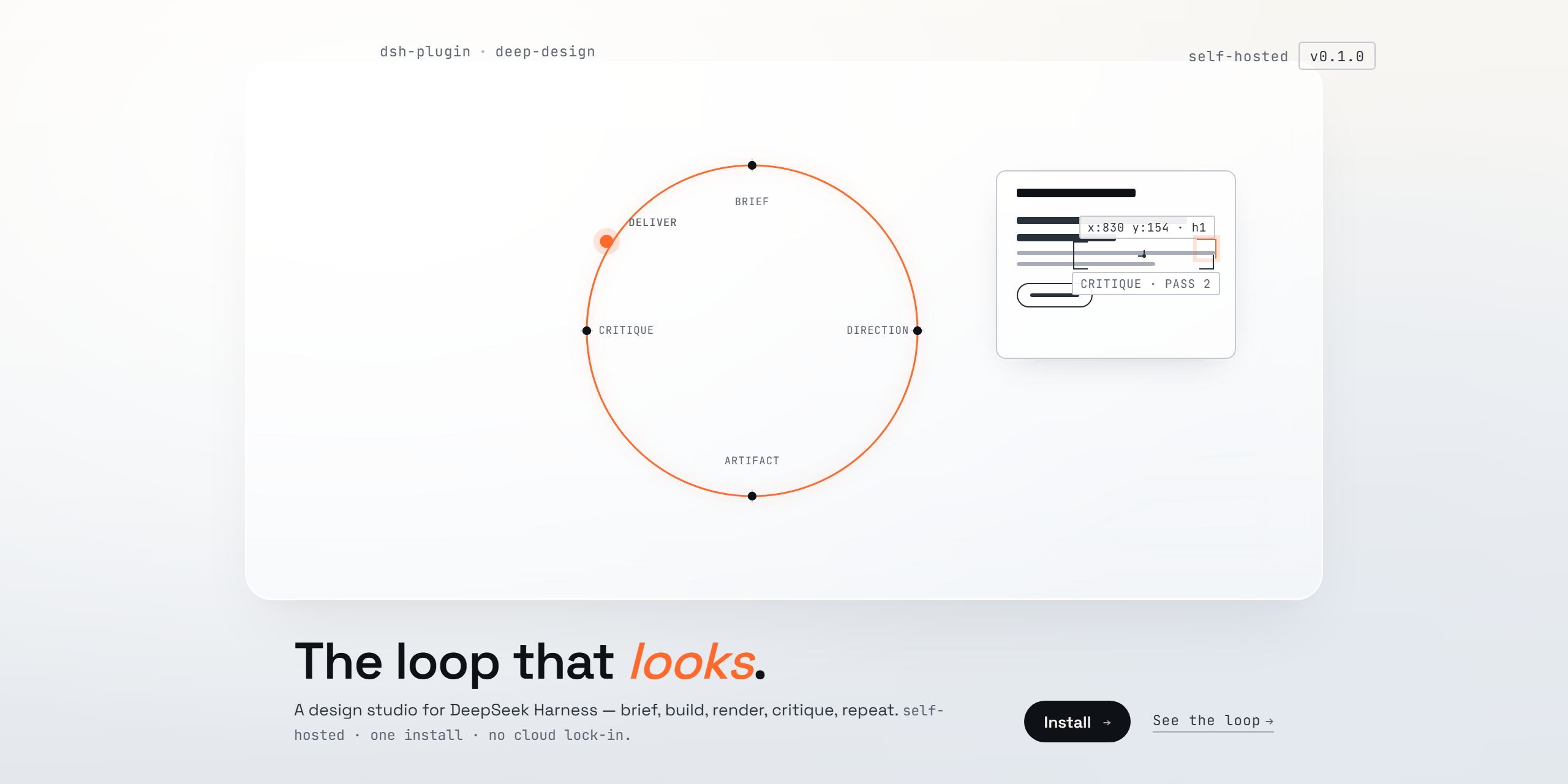
Design mode for DeepSeek Harness — a self-hosted alternative to Claude Design, Open Design, Google Stitch, and Figma Make, built on the DeepSeek Harness agent engine.
Deep Design turns your local harness into a design studio. It runs the same loop those products run — brief → direction → artifact → critique → deliver — with rendered visual QA at every pass, on your machine, with your own models and API keys.
What it installs
One plugin, three things:
- Deep Design — an agent preset in your roster: a complete design agent (shell, files, web research, skills, plans, subagents, workflows) whose entire job is the design loop.
deep-design-principles— the design intelligence: first-principles brief, design language before implementation, composition, motion, anti-slop audits, a scoring rubric, and a final self-review.deep-design-qa— the visual feedback loop: headless render at desktop and mobile → a critic pass (a subagent that diagnoses but never writes code) → targeted fixes → re-render → compare. With a pixel-sampling fallback for models without image input.
Both skills register globally, so any agent mode can load them from the skill catalog — not just Deep Design sessions.
Install
dsh plugin --profile web add dsh-deep-design    # from the npm registry once published, or
dsh plugin --profile web add ./deep-design      # from a checkout
Restart the Web UI, open the new-session screen, and choose Deep Design from the agent-preset chip. (The web profile is the one dsh web boots; use the same command with another profile name for other surfaces.)
The plugin installs the preset into $DSH_HOME/.agent-presets/design/, the standard user-preset directory every deployment scans. Installation is idempotent and never overwrites an existing directory — once you edit your copy, it is yours.
The loop
brief → direction (.design/direction.md) → design system → artifact
     → render (headless, desktop + mobile)
     → critic pass (structured visual diagnosis)
     → fix → re-render → compare → deliver
Design memory compounds across sessions: the loop reads .design/ in the workspace at session start and records lessons at session end. Designs get better with use, not just with better models.
Notes
- Best with a vision-capable model for Deep Design sessions — the critic sees better with eyes. The pixel-sampling fallback keeps the loop honest without one.
- Web research is enabled on the preset (
fetch: true); configure the harness's web provider for reference grounding. - Deep Design runs entirely on your machine. Nothing leaves it unless you choose a cloud model.
License
MIT.
セキュリティとインストールエビデンス
このスコアは公開リポジトリメタデータと当サイトに登録されたインストールエビデンスのみに基づくもので、コードセキュリティ監査とは異なります。
公開プラグインカタログから取得し、公開 GitHub リポジトリにリンクしています。
リポジトリは MIT ライセンスを宣言しています。
過去180日以内にコードの更新があります。
再現可能な正確なインストールメタデータはまだ登録されていません。リポジトリの説明に従って手動で確認してください。
確認したパッケージメタデータにインストールライフサイクルスクリプトは宣言されていません。