
Mol* 结构查看器
A DSH Web plugin that adds a Mol\ 3D structure viewer to dsh-file-explorer, overriding its plain previews for protein-structure and small-molecule files.
これは DeepSeek Harness(DSH)プラグインです。当サイトは GitHub README、インストール情報、メンテナンス状況、公開セキュリティシグナルをまとめています。
上流で中国語 README が提供されていないため、リポジトリのオリジナルコンテンツを表示しています。
dsh-file-explorer-preview-molstar
A DSH Web plugin that adds a Mol* 3D structure viewer to dsh-file-explorer, overriding its plain previews for protein-structure and small-molecule files.
Select a .cif / .pdb (or any supported format below) in the file explorer and the preview panel renders an interactive 3D model instead of raw text.
Screenshots
| Dark theme | Light theme |
|---|---|
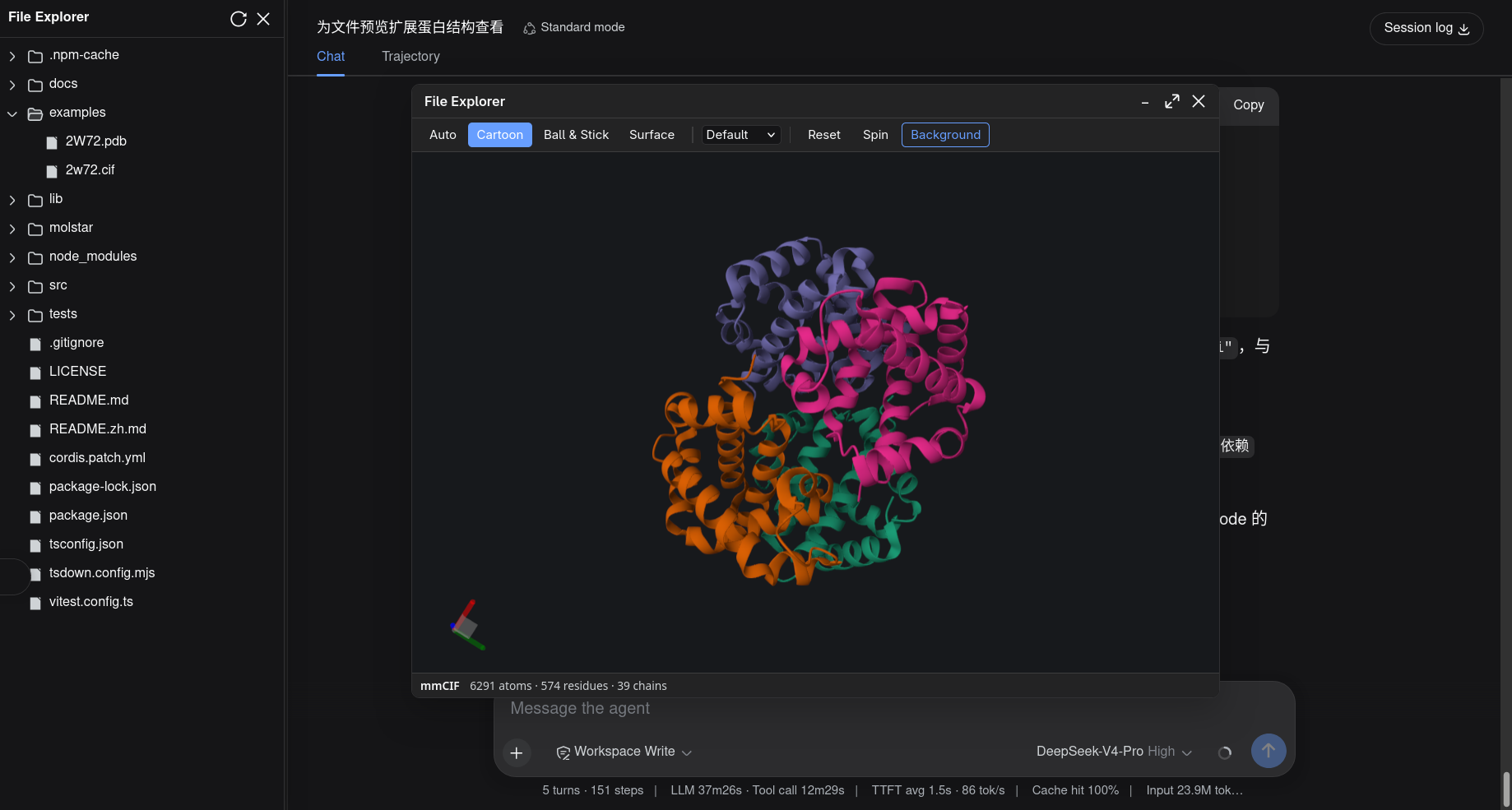 | 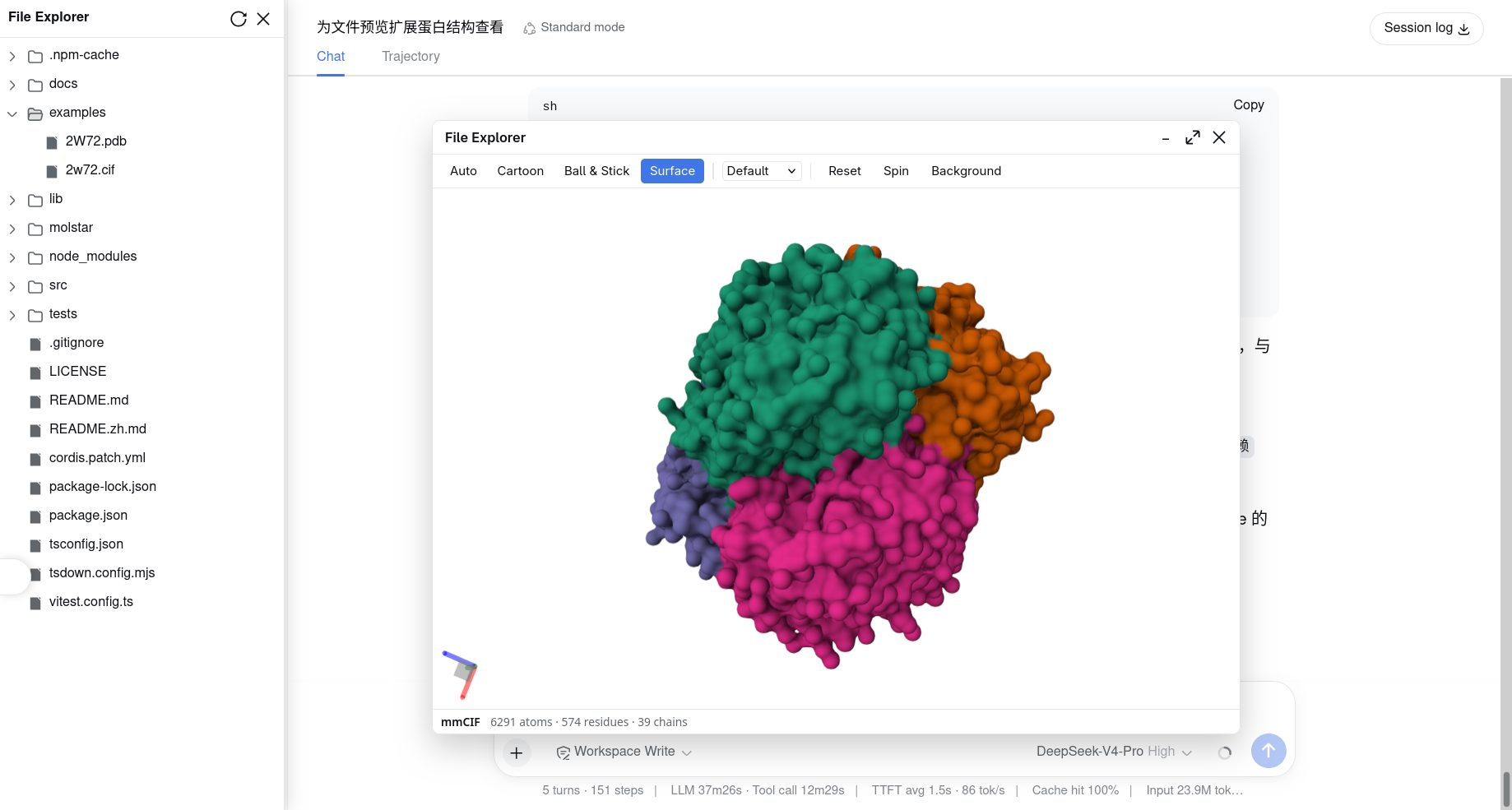 |
Features
- 3D structure viewer built on
molstar(PluginContext+ a minimal canvas — no full Mol* UI). - Representation presets: Auto / Cartoon / Ball & Stick / Molecular surface.
- Coloring by default / chain / entity, reset camera, spin toggle, and a dark/light background that follows DSH's
data-ds-dark-theme. - Status bar with the format badge and atom/residue/chain counts.
- Localized toolbar/status copy (中文 / English).
- Large & binary files: for files over the core's 2 MiB text cap, and for
.bcif, the plugin fetches raw bytes through the core'sfileExplorer.readRawFile(see Dependencies).
Supported formats
| Extension | Format |
|---|---|
cif mmcif mcif | mmCIF |
bcif | BinaryCIF |
pdb ent | PDB |
pdbqt | PDBQT |
pqr | PQR |
sdf sd | SDF |
mol | MOL |
mol2 | MOL2 |
xyz | XYZ |
gro | GRO |
Install
From the Git repository
dsh plugin --profile web add github:wolfsonliu/dsh-file-explorer-preview-molstar
dsh web
From source
git clone https://github.com/wolfsonliu/dsh-file-explorer-preview-molstar
cd dsh-file-explorer-preview-molstar
npm install
npm run build
dsh plugin --profile web add .
dsh web
Dependencies
This plugin requires @dsh-external/dsh-file-explorer — it injects the fileExplorer cordis service (registerPreview / writeFile / readRawFile). Install and enable dsh-file-explorer before this plugin:
# install the core from git
dsh plugin --profile web add github:wolfsonliu/dsh-file-explorer

# or, from source
git clone https://github.com/wolfsonliu/dsh-file-explorer
cd dsh-file-explorer
npm install && npm run build
dsh plugin --profile web add .
For local development, this repo's
devDependenciesresolves@dsh-external/dsh-file-explorer's./clienttype definitions. Point it at your checkout or your registry's published package beforenpm install.
For files ≤ 2 MiB the plugin parses the text preview content directly. To preview larger files and .bcif, dsh-file-explorer must also expose readRawFile (a small core change described in docs/specs/handoff-2026-08-15-molstar-core-changes.md). Until that change is applied, the plugin degrades gracefully: ≤ 2 MiB files still preview, larger ones show the core's "too large" status.
Limitations
- Requires a WebGL-capable browser.
- Read-only preview (no editing).
- Trajectories and density maps (
.dcd,.nc,.map) are out of scope.
Development
npm run check   # tsc type check
npm test        # vitest unit tests
npm run build   # tsc + tsdown (single-file lib/client.js bundling molstar)
The real WebGL mount cannot run under jsdom; verify it with dsh web and a structure file in examples/.
After
npm run build, hard-refresh the browser (Ctrl/Cmd+Shift+R):dsh webmay keep serving a cached plugin bundle, so a soft reload can leave your latest build unused.
セキュリティとインストールエビデンス
このスコアは公開リポジトリメタデータと当サイトに登録されたインストールエビデンスのみに基づくもので、コードセキュリティ監査とは異なります。
公開プラグインカタログから取得し、公開 GitHub リポジトリにリンクしています。
リポジトリは MIT ライセンスを宣言しています。
過去180日以内にコードの更新があります。
再現可能な正確なインストールメタデータはまだ登録されていません。リポジトリの説明に従って手動で確認してください。
確認したパッケージメタデータにインストールライフサイクルスクリプトは宣言されていません。