
zenghaili0901/dsh-bot-mode
🐋 Bot Mode for DeepSeek Harness — a roster of named bots with personas and chats (validation plugin, zero core patches)
これは DeepSeek Harness(DSH)プラグインです。当サイトは GitHub README、インストール情報、メンテナンス状況、公開セキュリティシグナルをまとめています。
🐋 DSH Bot Mode
Bot Mode for DeepSeek Harness — a roster of named bots with their own personas, chats and routines. / 把 DeepSeek Harness 的子 Agent 变成一群有名字、有性格的 Bot。分享快乐,快乐分享。


A validation plugin that turns DeepSeek Harness's subagent capability into a friendly roster of named bots — each with its own name, avatar, persona (system prompt), and chat. Built on the native DSH plugin seams: zero core patches, every effect removable.
Features
-
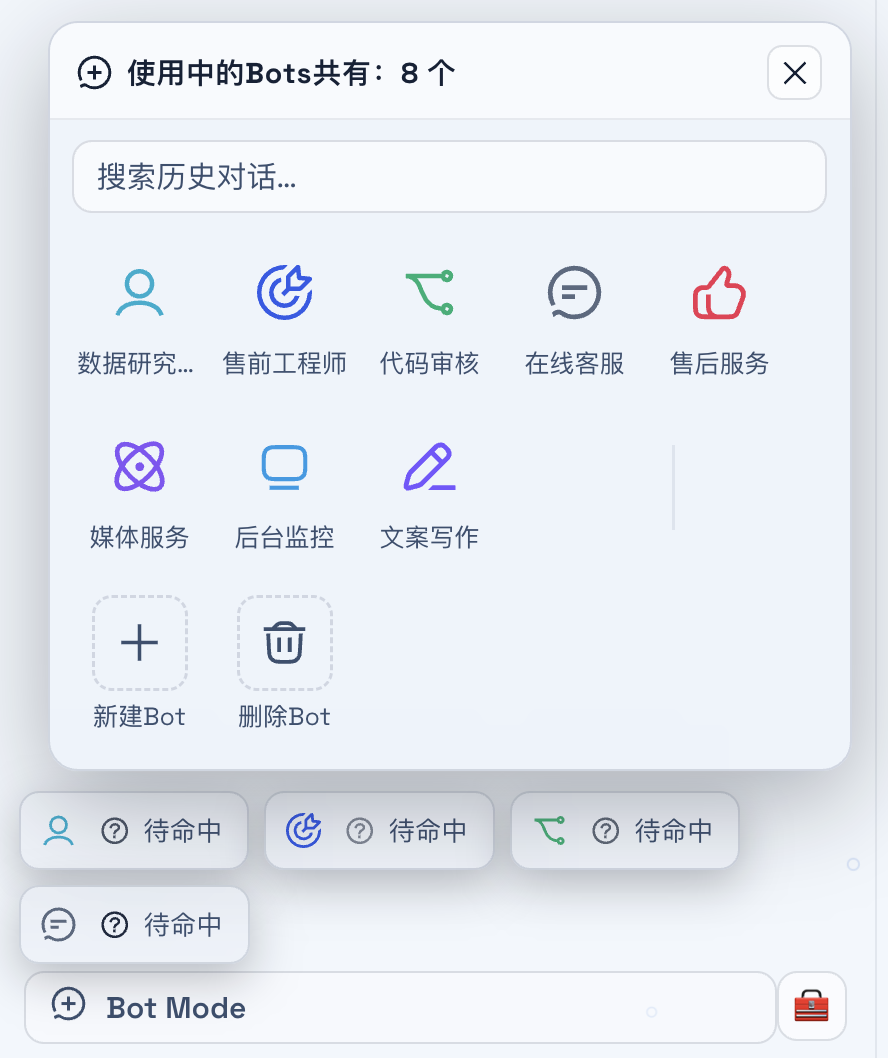
🐋 Bot roster — a sidebar entry (
sidebar.footer.action) opens a compact panel (shell.overlay) listing your bots as an icon grid, with history search over chats. Minimized bots collapse into a capsule row with live status glyphs (待命中 / 进行中).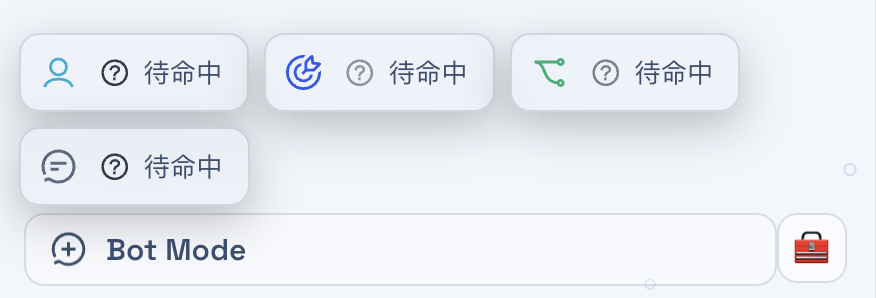
-
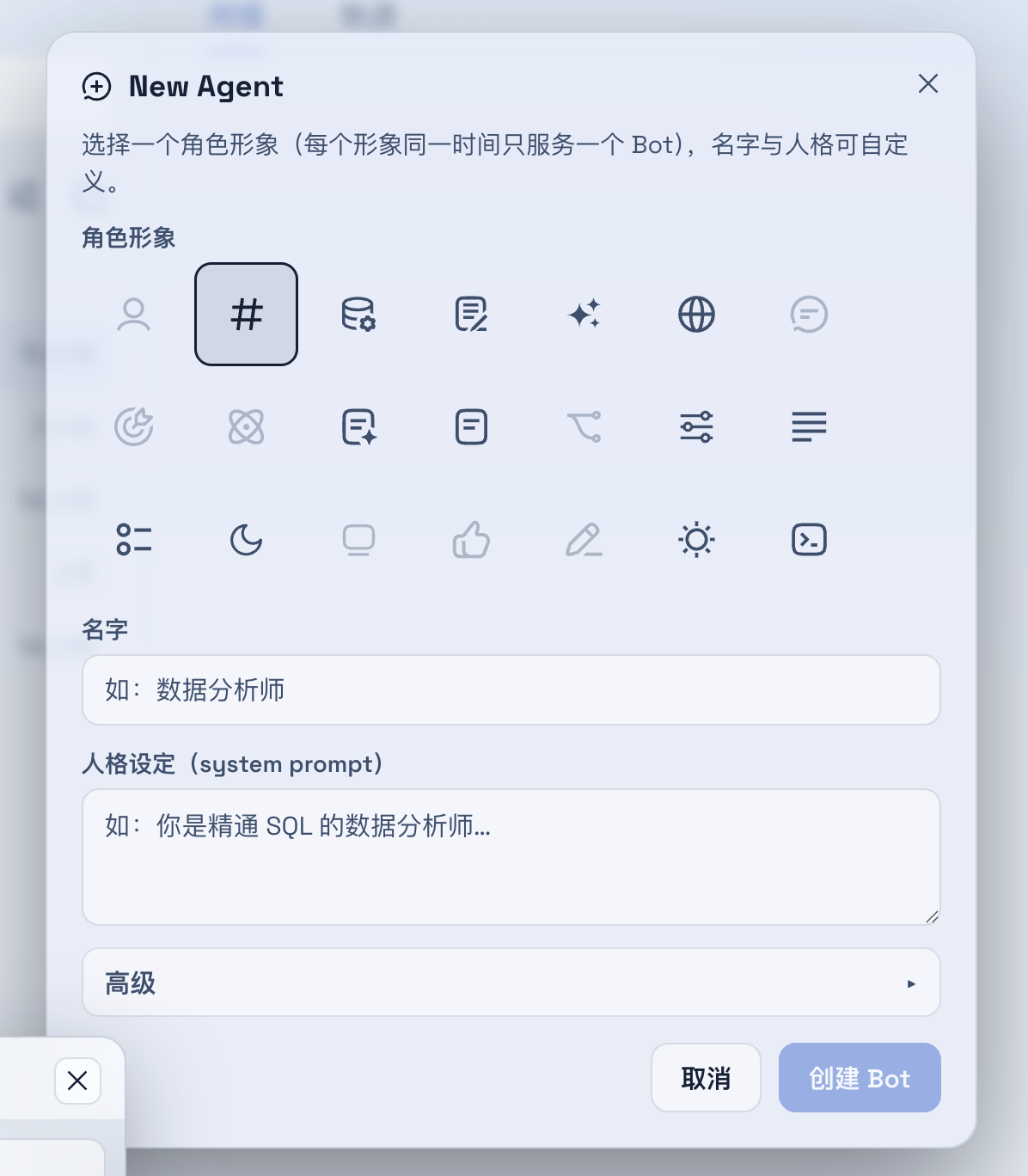
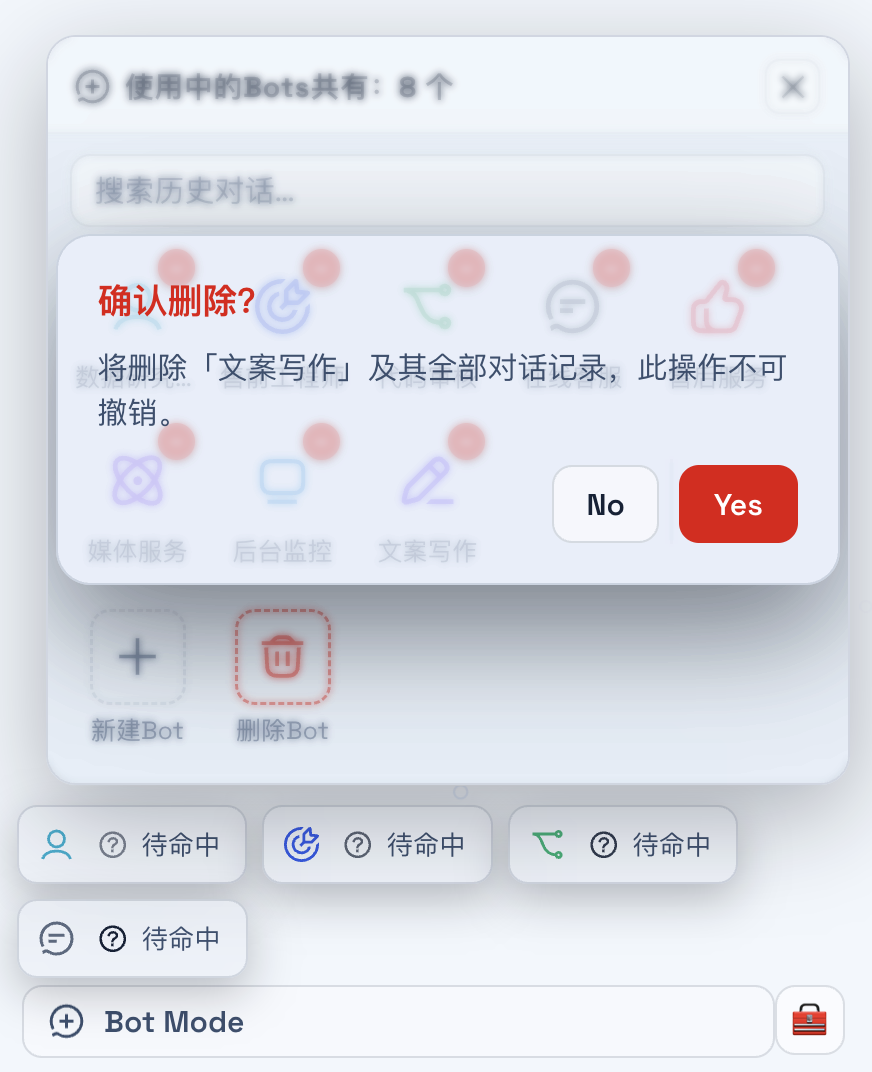
➕ Create / delete bots — 21 official role icons (used ones grey out — no repeats), auto-bound colors, persona prompt; delete uses an iPhone-style red-badge + Yes/No confirm, then cleans the bot's chat/position/profile data.
-
💬 Floating chat windows — draggable, resizable, minimizable, multi-window parallel; click-to-front + input focus; viewport-clamped (never stranded off-screen); minimized bots collapse into a capsule row (待命中 / 进行中 with animated status glyphs).
-
🧠 Continuable conversations — each bot owns one durable subagent session (
startContinuable+followup): native memory across turns, no per-message session pile-up, auto-rebuild when the parent session switches. -
📊 Structured output — bot replies render thinking folds, tool-call chips, inline markdown images, and dsh-ui cards (text / list / keyvalue 4-shapes / table / callout / stat / steps / grid) inside the floating window.
-
🎨 Theme-native — every color/border/radius comes from the official
--dsw-alias-*tokens; icons are officialdsh-client-ui-primitivesglyphs with CSS motion (spin / breathe / check). -
🔌 Zero core patches — client UI rides
ctx.slots.inject; host is a plain HTTP route on the profile web server with same-origin guard, request validation, and per-bot request locking. Toggle off / remove the plugin and the stock UI returns exactly.
Install
Requires DeepSeek Harness web profile (
dsh web). Tested on macOS.
git clone --depth 1 https://github.com/zenghaili0901/dsh-bot-mode.git
# link the plugin into the profile's node_modules
ln -s "$PWD/dsh-bot-mode" "$DSH_HOME/profiles/node_modules/@deepseek-ai/dsh-client-ui-bot-mode"
Then append to $DSH_HOME/profiles/web/cordis.patch.yml:
- insert:
    - id: bot-mode
      name: '@deepseek-ai/dsh-client-ui-bot-mode'
Restart the web profile (dsh web) and reload the page. The Bot Mode entry appears at the sidebar foot, next to Settings.
Usage
- Click Bot Mode in the sidebar footer (or the Bot Mode card under Settings → Plugins).
- In the panel: + 新建Bot — pick one of the 21 role icons (used ones are greyed out), a name, and a persona prompt.
- Click a bot to open a floating chat window; type and send. The bot replies in character, remembers the conversation, and can render tables/cards/images.
Architecture
Browser (client plugin)                    Node (host plugin)
┌─────────────────────────────┐            ┌──────────────────────────────┐
│ BotModeEntry  sidebar.footer│  fetch     │ POST /bot-mode/chat          │
│ BotModeOverlay shell.overlay│ ─────────▶ │   startContinuable/followup  │
│ BotChatWindow  chat windows │  JSON      │   poll child session events  │
│ BotModeCard    settings     │ ◀───────── │   (e.data.message.content)   │
└─────────────────────────────┘   reply    └──────────────────────────────┘
- Client:
lib/client.js—__ModuleLoader__bundle (hand-authored, no build step), registers intosettings.plugin.item(serves thesettings.botmodelocale namespace),sidebar.footer.action,shell.overlay. - Host:
lib/index.js— registersPOST /bot-mode/chat(continuable dispatch) andPOST /bot-mode/cleanup(release entry on bot delete) on the profile web server; same-origin guarded; one durable subagent per bot; replies are polled from the child session's event log (turn/endboundary →assistant/messagecontent).
Development
dsh-bot-mode/
├── package.json       # dsh.client manifest (platform: web)
├── assets/            # README screenshots
├── lib/
│   ├── index.js       # host half: continuable chat + cleanup routes
│   └── client.js      # client half: roster + chat UI (no build step)
└── node_modules/      # local link to @deepseek-ai/dsh-subagent (dev only)
Roadmap (validation → production)
- Per-bot persisted chat history (per-bot localStorage keys)
- Bot-to-bot messaging (@mention relay)
- Group chats (round-robin coordination)
- Routines (cron tasks per bot via
dsh-schedule) - Deep persona injection via
system-prompt/assemble - Cross-tab state sync (store
syncsurface is reserved)
License
MIT
セキュリティとインストールエビデンス
このスコアは公開リポジトリメタデータと当サイトに登録されたインストールエビデンスのみに基づくもので、コードセキュリティ監査とは異なります。
公開プラグインカタログから取得し、公開 GitHub リポジトリにリンクしています。
リポジトリは MIT ライセンスを宣言しています。
過去180日以内にコードの更新があります。
再現可能な正確なインストールメタデータはまだ登録されていません。リポジトリの説明に従って手動で確認してください。
確認したパッケージメタデータにインストールライフサイクルスクリプトは宣言されていません。