
Herdr 桥接
DeepSeek Harness web
이것은 DeepSeek Harness(DSH) 플러그인입니다. 이 사이트는 GitHub README, 설치 정보, 유지보수 상태, 공개 보안 시그널을 모아 보여줍니다.
업스트림에서 중국어 README를 제공하지 않아 저장소 원본 내용을 표시합니다.
herdr-bridge
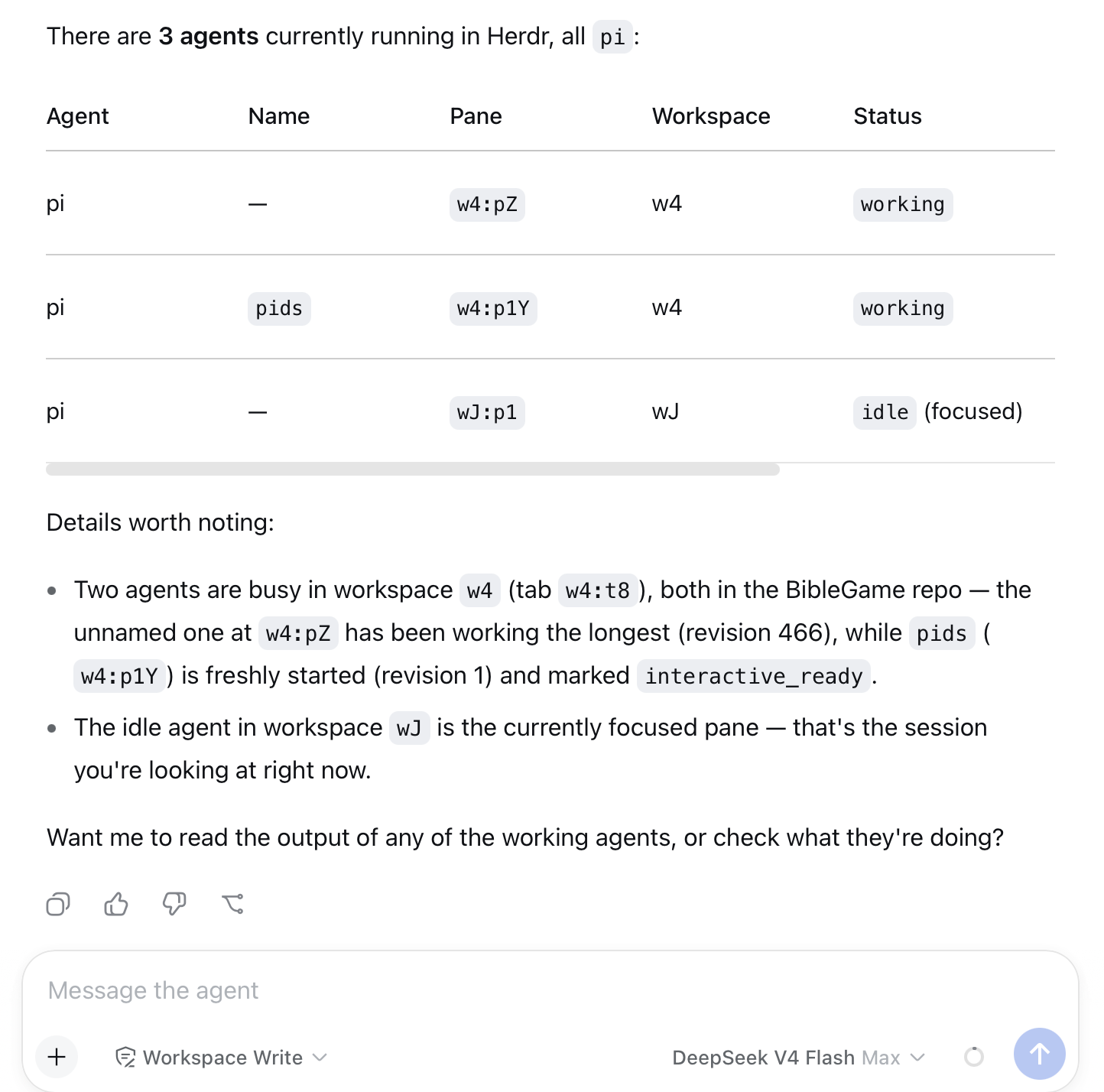
A dsh plugin that bridges a DeepSeek Harness web session to Herdr, letting the dsh agent discover, start, prompt, and observe other agents (pi, claude, codex, ...) running under Herdr — all from inside the dsh web UI.
Requirements
- dsh (npx
@deepseek-ai/dshor a local build) with thewebprofile - Herdr running on the same machine (
herdrCLI on PATH, socket at~/.config/herdr/herdr.sock) - Node.js >= 20
Install
From GitHub (published source):
dsh plugin --profile web add github:damozhang/dsh-herdr-bridge
From npm (once published):
dsh plugin --profile web add dsh-herdr-bridge
From a local checkout (development):
dsh plugin --profile web add /path/to/herdr-bridge
Then restart the dsh web server so the bundle is loaded. To update to a newer version, run add again with the same source (pnpm caches; remove first if you switch sources). For active development, link the local checkout — source edits take effect on the next server restart — and switch back to the GitHub source to validate what others will install.
Starting dsh so Herdr integration works (important)
Herdr's own skill refuses to act when the agent process is not Herdr-managed: it checks HERDR_ENV=1 in the environment and stops otherwise. The dsh web process must therefore run with HERDR_ENV=1 set, otherwise the dsh agent will refuse to touch Herdr even though this plugin is installed.
Option A — recommended: run dsh web inside a Herdr pane
Herdr automatically injects HERDR_ENV=1 (and HERDR_SOCKET_PATH/HERDR_PANE_ID) into every pane it manages. Create a pane bound to your usual working directory and run:
npx @deepseek-ai/dsh web
The web server inherits the Herdr environment, the skill gate passes, and the server's own output stays observable in that pane.
Option B — run in a plain terminal with exported environment
If you prefer the web server outside Herdr, export the markers first:
export HERDR_ENV=1
export HERDR_SOCKET_PATH="$HOME/.config/herdr/herdr.sock"
npx @deepseek-ai/dsh web
This satisfies the skill check but is less "native" than running inside a Herdr pane.
Verify
Open the dsh web UI and ask the agent to herdr_agent_list. If it returns the live Herdr agents (with pane ids), the bridge is working. If the agent refuses with a Herdr environment error, the server was started without HERDR_ENV=1.
The plugin's tools also set HERDR_ENV=1 and a default socket path on every spawned herdr CLI call, so tool execution itself is resilient; the process-level variable is what the skill gate checks.
Tools
| Tool | Purpose |
|---|---|
herdr_agent_list | List Herdr agents (pane id, status, cwd) to discover collaboration targets |
herdr_agent_start | Create a workspace and start an agent (kind: pi, claude, codex, ...; optional model) |
herdr_agent_prompt | Send a message to an agent by pane id, wait for completion, return its output |
herdr_delegate | One-shot: start agent → submit task → wait → return output (optional cleanup) |
herdr_pane_run | Run a shell command in any pane and read its output (optional match-wait) |
herdr_workspace_close | Close a workspace to clean up its agents and panes |
Examples
Ask the dsh web agent:
herdr_delegate: review /path/to/code with model opencode-go/deepseek-v4-pro
or compose primitives:
herdr_agent_list
herdr_agent_start pi in /path with model opencode-go/deepseek-v4-pro
herdr_agent_prompt <paneId> "implement feature X and run the tests"
herdr_workspace_close <workspaceId>
Development
pnpm install        # pulls @deepseek-ai/dsh-tools
dsh plugin --profile web add /abs/path/to/this/repo
Schema notes: the dsh value-schema DSL is stricter than JSON Schema — required lives per-field, and object schemas must declare additionalProperties explicitly.
License
MIT
보안 및 설치 증거
이 점수는 공개 저장소 메타데이터와 이 사이트에 등록된 설치 증거에만 기반하며, 코드 보안 감사와 다릅니다.
공개 플러그인 카탈로그에서 왔으며, 공개 GitHub 저장소로 연결됩니다.
GitHub 메타데이터에서 라이선스가 감지되지 않았습니다.
최근 180일 내 코드 업데이트가 있습니다.
재현 가능한 정확한 설치 메타데이터가 아직 등록되지 않았습니다. 저장소 설명에 따라 직접 확인하세요.
검사한 패키지 메타데이터에 설치 라이프사이클 스크립트가 선언되지 않았습니다.
missing-license