
会话视图模式
DeepSeek Harness Web
이것은 DeepSeek Harness(DSH) 플러그인입니다. 이 사이트는 GitHub README, 설치 정보, 유지보수 상태, 공개 보안 시그널을 모아 보여줍니다.
업스트림에서 중국어 README를 제공하지 않아 저장소 원본 내용을 표시합니다.
DshViewModes
English · 简体中文
Three output modes for DeepSeek Harness (DSH) Web: Verbose, Normal, and Summary. Keep the full trace when debugging, reduce process noise during daily work, or focus on the result.
This is an official-style DSH bundle plugin (dsh.bundle + dsh.client). It changes only browser-side presentation and does not patch DSH core files.
Preview
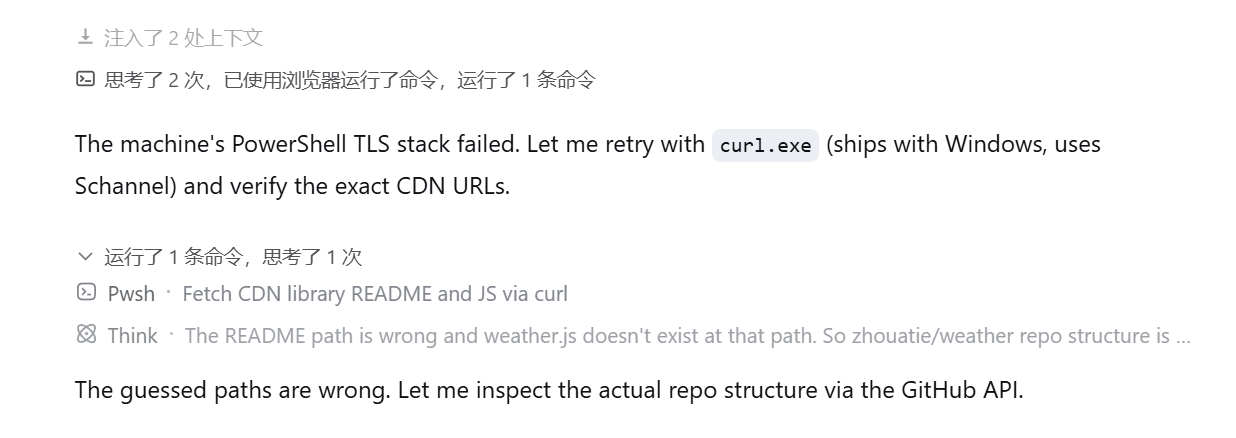
The interface follows the language selected in Harness Settings. This is Normal mode with Harness set to English:
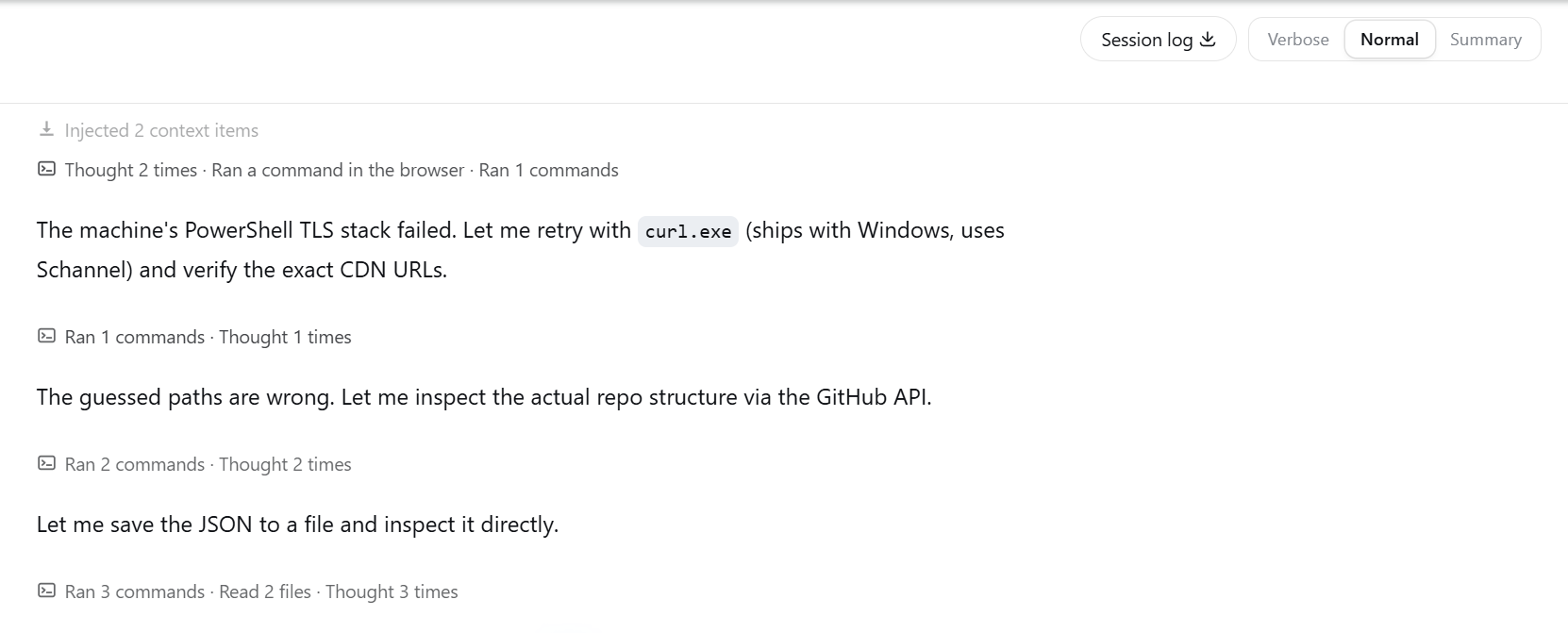
Normal mode groups related tool calls and thinking while keeping assistant text as a clear boundary. Click a process title to inspect its original steps.
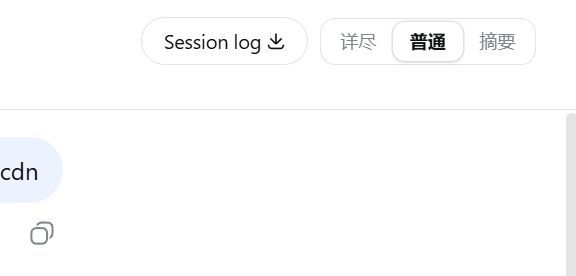
Switch modes from the session header.
Modes
| Mode | Best for | Behavior |
|---|---|---|
| Verbose | Debugging | Preserves everything DSH renders, including thinking, tool calls, retries, context, and statistics |
| Normal | Daily work | Groups process steps by semantic phase; thinking joins the neighboring process group; assistant text remains visible and starts a new grouping interval |
| Summary | Results | Hides process noise while running, shows a live shimmer status, and folds the completed process into a compact summary |
Normal mode does not split a group after an arbitrary number of calls. Repeated reads, commands, edits, searches, or coordination steps can stay together while they belong to the same phase. A visible assistant message is always a hard boundary.
Install
Requirements:
- Node.js 20 or later
- DSH with the
webprofile available - Git
pnpmonPATH(required bydsh plugin; usecorepack enableif needed)
Public GitHub install (recommended)
No npm account is required:
dsh plugin --profile web add git+https://github.com/NigelYao/dsh-view-modes.git
Local development on Windows
For source iteration, clone the repository onto the same drive as the DSH home directory. This avoids broken cross-drive package links.
$pluginRoot = Join-Path $env:USERPROFILE ".dsh\local-plugins\dsh-view-modes"
git clone https://github.com/NigelYao/dsh-view-modes.git $pluginRoot
Set-Location $pluginRoot
dsh plugin --profile web add link:$pluginRoot
If you already keep the repository on another drive, create a junction on the DSH home drive and install from the junction:
$source = "D:\Projects\dsh\plugins\dsh-output-mode"
$pluginRoot = Join-Path $env:USERPROFILE ".dsh\local-plugins\dsh-view-modes"
New-Item -ItemType Junction -Path $pluginRoot -Target $source
Set-Location $pluginRoot
dsh plugin --profile web add link:$pluginRoot
Do not insert dsh-view-modes again in the profile or home cordis.patch.yml; the plugin's own patch already registers its bundle id.
Start DSH Web
Restart DSH Web after installing or updating the plugin. The client bundle revision is composed when the process starts.
npx @deepseek-ai/dsh web
Open http://127.0.0.1:3080/.
Use
- Use the session-header control to select Verbose, Normal, or Summary.
- Use
Alt+1,Alt+2, orAlt+3to switch modes from the keyboard. - In Normal mode, click a process title such as "Ran 2 commands, thought 3 times" to expand the original steps. Click the title row again to collapse it.
- Individual command details remain expandable inside an open process group. Closing the group resets those details, so the next opening starts compact.
- The selected mode is stored in
localStorageand survives refresh. The default is Normal. - All UI copy follows the language selected in Harness Settings and updates between Chinese and English automatically.
- The running process title uses a shimmer effect, and changing counters roll upward.
Summary mode shows a compact live activity line while the agent runs. When the turn completes, the process becomes an expandable recap above the answer.
Update
Set-Location $pluginRoot
git pull --ff-only
npm run check
# Restart DSH Web after the pull.
Verify
dsh --profile web --dump-config | Select-String "dsh-view-modes"
npm run check
The configuration should mention dsh-view-modes once, and http://127.0.0.1:3080/plugins/dsh-view-modes/client.js should return HTTP 200 while DSH Web is running.
Documentation
- Technical notes (Chinese): architecture, grouping rules, data attributes, performance constraints, and maintenance notes
License
MIT
보안 및 설치 증거
이 점수는 공개 저장소 메타데이터와 이 사이트에 등록된 설치 증거에만 기반하며, 코드 보안 감사와 다릅니다.
공개 플러그인 카탈로그에서 왔으며, 공개 GitHub 저장소로 연결됩니다.
저장소가 MIT 라이선스를 선언했습니다.
최근 180일 내 코드 업데이트가 있습니다.
재현 가능한 정확한 설치 메타데이터가 아직 등록되지 않았습니다. 저장소 설명에 따라 직접 확인하세요.
검사한 패키지 메타데이터에 설치 라이프사이클 스크립트가 선언되지 않았습니다.