
EVA 主题
The package is a profile bundle (dsh.bundle.patch), so it installs with the standard plugin command — no manual symlinks or patch edits:
이것은 DeepSeek Harness(DSH) 플러그인입니다. 이 사이트는 GitHub README, 설치 정보, 유지보수 상태, 공개 보안 시그널을 모아 보여줍니다.
dsh-eva-theme-plugin
English | 中文
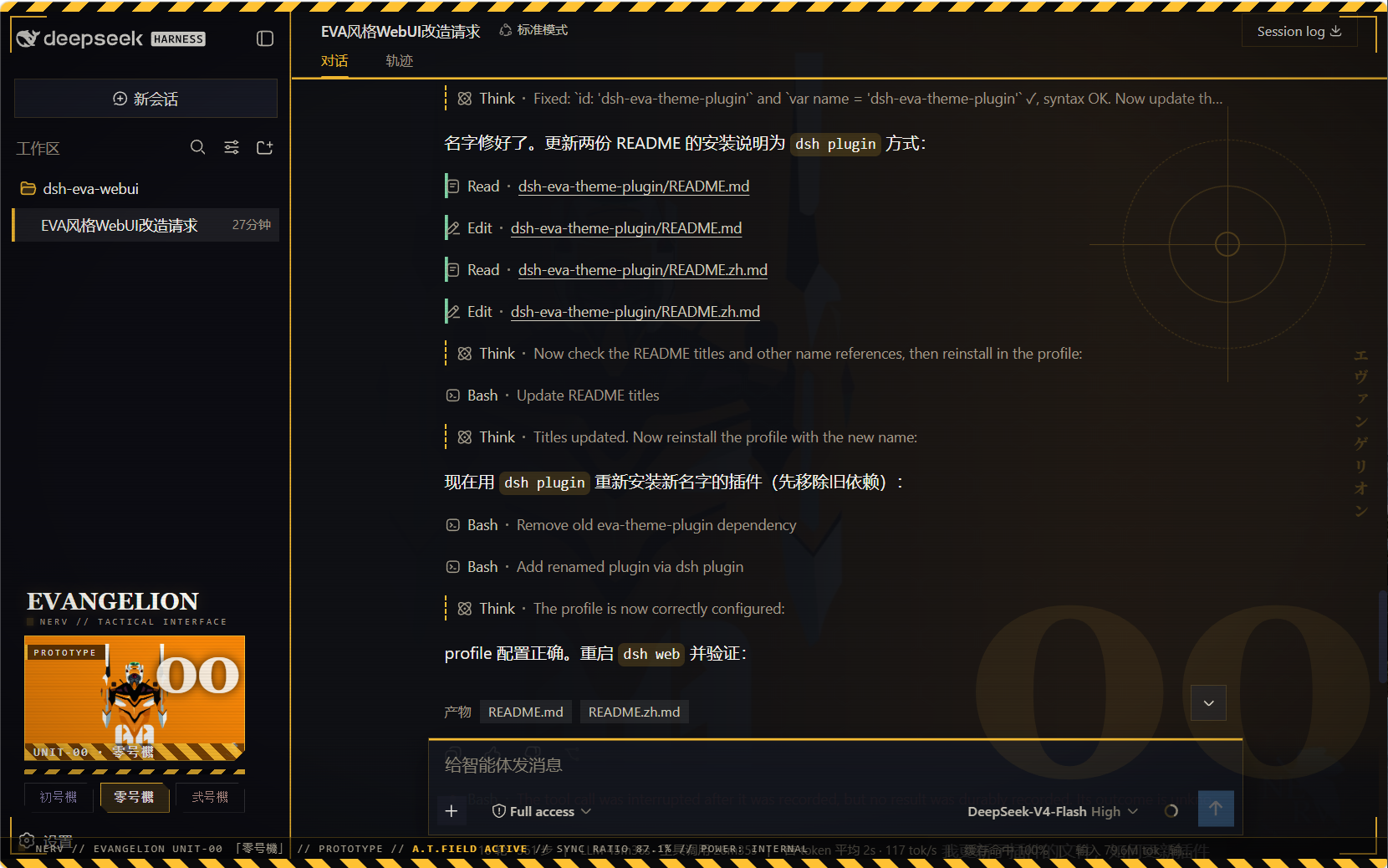
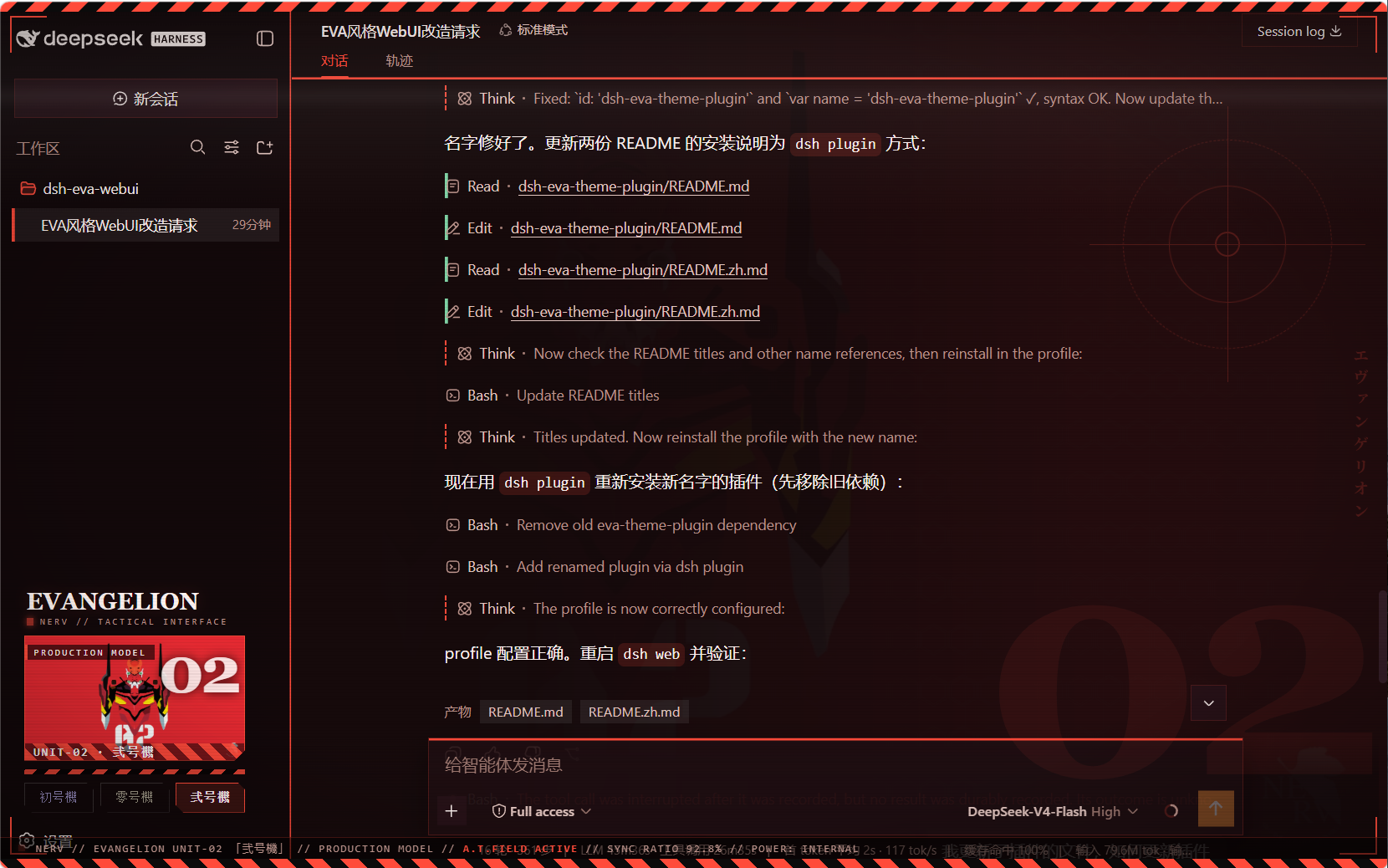
A user-level client plugin that gives the DeepSeek Harness Web GUI three Neon Genesis Evangelion unit schemes — 初号機 (Unit-01), 零号機 (Unit-00), 弐号機 (Unit-02) — each retinting every page element and showing the active unit's art in the sidebar. Built entirely as a plugin: no harness source is touched.
What it does
- Three switchable schemes, all dark, each with a complete
--dsw-*token set (86 tokens) so all elements re-tint on switch — surfaces, labels, buttons, states, bubbles, input bar, sidebar, scrollbars, code blocks, menus:eva-unit01初号機 — purple body (#b96bff) with neon-green accentseva-unit00零号機 — blue-grey body, yellow accents (#ffc233)eva-unit02弐号機 — crimson body, orange accents (#ff4b3a)
- Unit wallpaper backdrop per scheme (embedded data URIs; wallhaven fan art, no baked-in text/watermarks), painted right of center behind the app with a left-side protection gradient so the chat column stays legible while the artwork shows through the translucent panels.
- Sidebar switcher (wide): a mecha art banner for the active unit plus
three unit buttons, injected into the sidebar's
sidebar.footer.actionslot; collapsed rail mode shows three unit dots. - EVA is the enforced look: on every
theme/changethe plugin re-asserts Unit-01 whenever the active theme is not one of the three unit schemes (this also absorbs the async settings-adopt that would otherwise reset the theme to light/dark at boot). The three unit buttons are the theme control. - Mecha chrome (token-driven, re-tints per unit):
- hazard warning stripes across the top edge of the viewport
- HUD targeting brackets at the four viewport corners
- subtle scanline + vignette overlay (mecha monitor feel)
- blueprint grid in the backdrop (visible through the translucent panels)
- square mecha corners on the composer card + brand-colored top edge, brand-glow header underline, brand edge on the sidebar
- sidebar switcher: chamfered (angle-cut) unit buttons, monospace
letter-spaced labels, hazard-stripe strip +
UNIT-0Xdesignation on the art banner
Screenshots
初号機 (Unit-01)
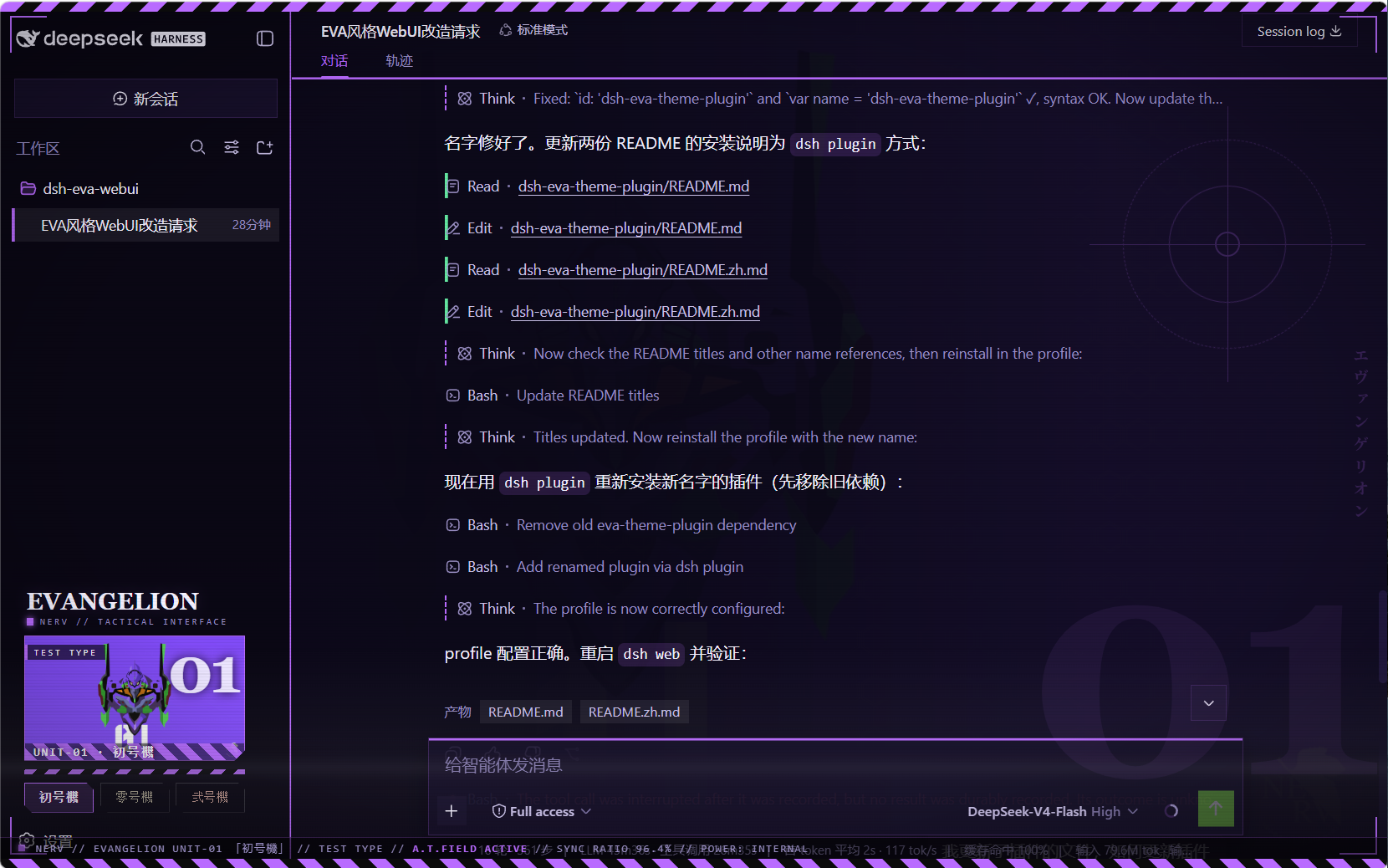
零号機 (Unit-00)
弐号機 (Unit-02)
Files
| Path | Role |
|---|---|
package.json | package identity + dsh.client declaration + exports |
lib/index.js | host half (no-op) |
client.js | browser bundle: theme registry + backdrop + sidebar switcher |
client.template.js | readable bundle source (base64 placeholders) |
assets/unit00.webp · unit01.webp · unit02.webp | embedded artwork (webp) |
assets/screenshot00.png · screenshot01.png · screenshot02.png | effect preview screenshots (Unit-00/01/02) |
Installation (via dsh plugin)
The package is a profile bundle (dsh.bundle.patch), so it installs with
the standard plugin command — no manual symlinks or patch edits:
# Run from the harness repository:
pnpm dsh plugin --profile web add https://github.com/oceanxuikun/dsh-eva-theme-plugin.git
This runs pnpm add in the web profile, links the package into
~/.dsh/profiles/web/node_modules, and automatically appends
dsh-eva-theme-plugin to dsh.profile.bundles in the profile's
package.json. Restart dsh web, then refresh the page.
Rebuild after changing images or the template:
pnpm run build # regenerates client.js from client.template.js + assets/
Uninstall
pnpm dsh plugin --profile web remove dsh-eva-theme-plugin
Then restart dsh web and refresh.
Credits
Artwork: fan art hosted on wallhaven.cc (see sources above), used as local personal GUI backgrounds; Neon Genesis Evangelion © Khara / GAINAX.
보안 및 설치 증거
이 점수는 공개 저장소 메타데이터와 이 사이트에 등록된 설치 증거에만 기반하며, 코드 보안 감사와 다릅니다.
공개 플러그인 카탈로그에서 왔으며, 공개 GitHub 저장소로 연결됩니다.
GitHub 메타데이터에서 라이선스가 감지되지 않았습니다.
최근 180일 내 코드 업데이트가 있습니다.
재현 가능한 정확한 설치 메타데이터가 아직 등록되지 않았습니다. 저장소 설명에 따라 직접 확인하세요.
검사한 패키지 메타데이터에 설치 라이프사이클 스크립트가 선언되지 않았습니다.
missing-license