
设计模式
Design mode for DeepSeek Harness — a self-hosted alternative to Claude Design, Open Design, Google Stitch, and Figma Make, built on the DeepSeek Harness agent engine.
이것은 DeepSeek Harness(DSH) 플러그인입니다. 이 사이트는 GitHub README, 설치 정보, 유지보수 상태, 공개 보안 시그널을 모아 보여줍니다.
업스트림에서 중국어 README를 제공하지 않아 저장소 원본 내용을 표시합니다.
Deep Design
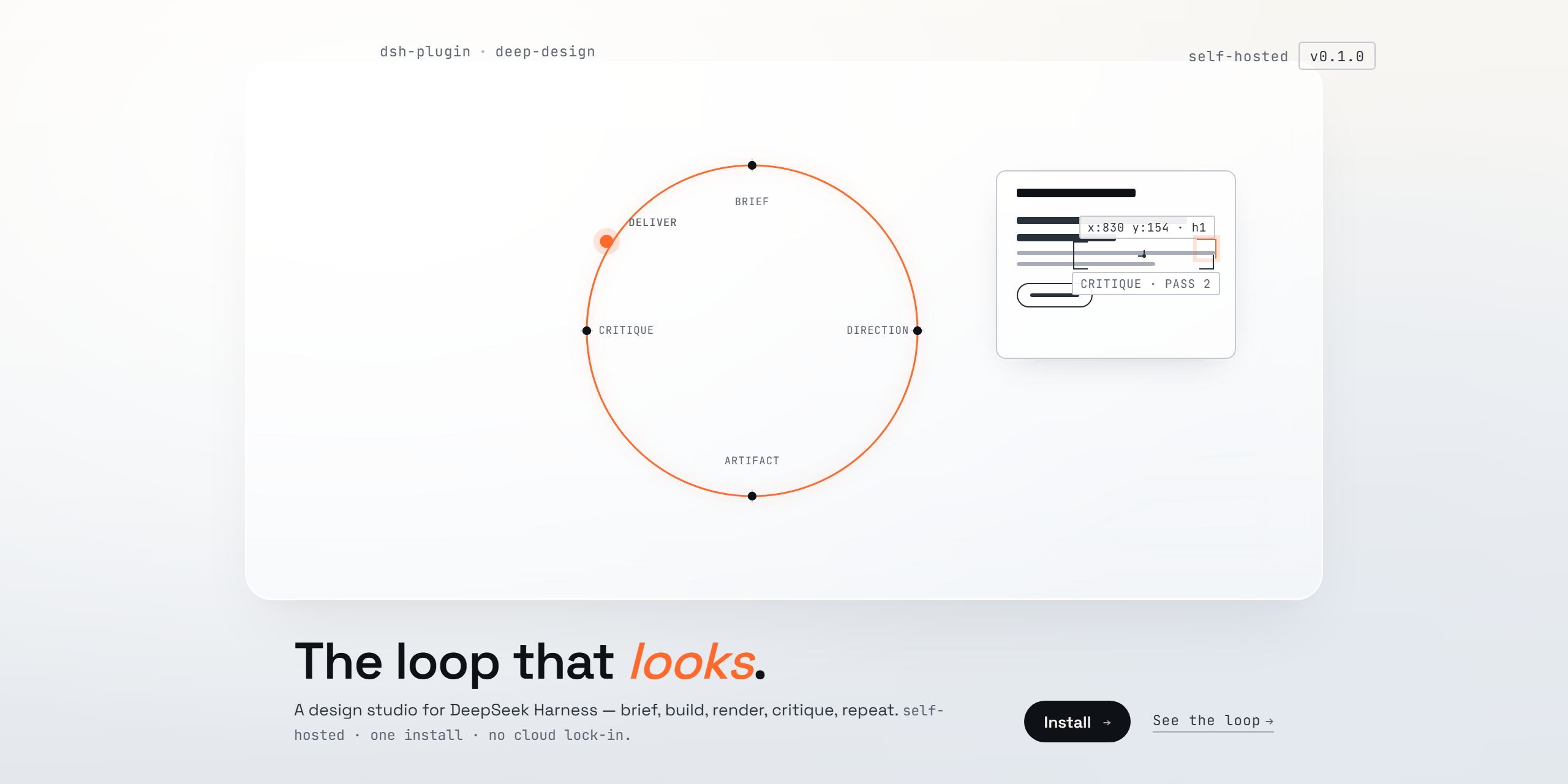
Design mode for DeepSeek Harness — a self-hosted alternative to Claude Design, Open Design, Google Stitch, and Figma Make, built on the DeepSeek Harness agent engine.
Deep Design turns your local harness into a design studio. It runs the same loop those products run — brief → direction → artifact → critique → deliver — with rendered visual QA at every pass, on your machine, with your own models and API keys.
What it installs
One plugin, three things:
- Deep Design — an agent preset in your roster: a complete design agent (shell, files, web research, skills, plans, subagents, workflows) whose entire job is the design loop.
deep-design-principles— the design intelligence: first-principles brief, design language before implementation, composition, motion, anti-slop audits, a scoring rubric, and a final self-review.deep-design-qa— the visual feedback loop: headless render at desktop and mobile → a critic pass (a subagent that diagnoses but never writes code) → targeted fixes → re-render → compare. With a pixel-sampling fallback for models without image input.
Both skills register globally, so any agent mode can load them from the skill catalog — not just Deep Design sessions.
Install
dsh plugin --profile web add dsh-deep-design    # from the npm registry once published, or
dsh plugin --profile web add ./deep-design      # from a checkout
Restart the Web UI, open the new-session screen, and choose Deep Design from the agent-preset chip. (The web profile is the one dsh web boots; use the same command with another profile name for other surfaces.)
The plugin installs the preset into $DSH_HOME/.agent-presets/design/, the standard user-preset directory every deployment scans. Installation is idempotent and never overwrites an existing directory — once you edit your copy, it is yours.
The loop
brief → direction (.design/direction.md) → design system → artifact
     → render (headless, desktop + mobile)
     → critic pass (structured visual diagnosis)
     → fix → re-render → compare → deliver
Design memory compounds across sessions: the loop reads .design/ in the workspace at session start and records lessons at session end. Designs get better with use, not just with better models.
Notes
- Best with a vision-capable model for Deep Design sessions — the critic sees better with eyes. The pixel-sampling fallback keeps the loop honest without one.
- Web research is enabled on the preset (
fetch: true); configure the harness's web provider for reference grounding. - Deep Design runs entirely on your machine. Nothing leaves it unless you choose a cloud model.
License
MIT.
보안 및 설치 증거
이 점수는 공개 저장소 메타데이터와 이 사이트에 등록된 설치 증거에만 기반하며, 코드 보안 감사와 다릅니다.
공개 플러그인 카탈로그에서 왔으며, 공개 GitHub 저장소로 연결됩니다.
저장소가 MIT 라이선스를 선언했습니다.
최근 180일 내 코드 업데이트가 있습니다.
재현 가능한 정확한 설치 메타데이터가 아직 등록되지 않았습니다. 저장소 설명에 따라 직접 확인하세요.
검사한 패키지 메타데이터에 설치 라이프사이클 스크립트가 선언되지 않았습니다.