
tomowang/dsh-tui
An open-source terminal front door for DeepSeek Harness (dsh).
이것은 DeepSeek Harness(DSH) 플러그인입니다. 이 사이트는 GitHub README, 설치 정보, 유지보수 상태, 공개 보안 시그널을 모아 보여줍니다.
업스트림에서 중국어 README를 제공하지 않아 저장소 원본 내용을 표시합니다.
dsh-tui
An open-source terminal front door for DeepSeek Harness (dsh).
@tomowang/dsh-tui is an out-of-tree mode bundle: it stacks on @deepseek-ai/dsh-base exactly like the shipped dsh-web-app and dsh-headless bundles do, but drives the agent from your terminal instead of a browser. The package is both a Cordis plugin (terminal input and presentation) and a dsh bundle (dsh.bundle.patch in package.json points at cordis.patch.yml); everything else — model adapters, tools, session persistence, sandbox and approval policy — stays in dsh-base and remains patchable underneath.
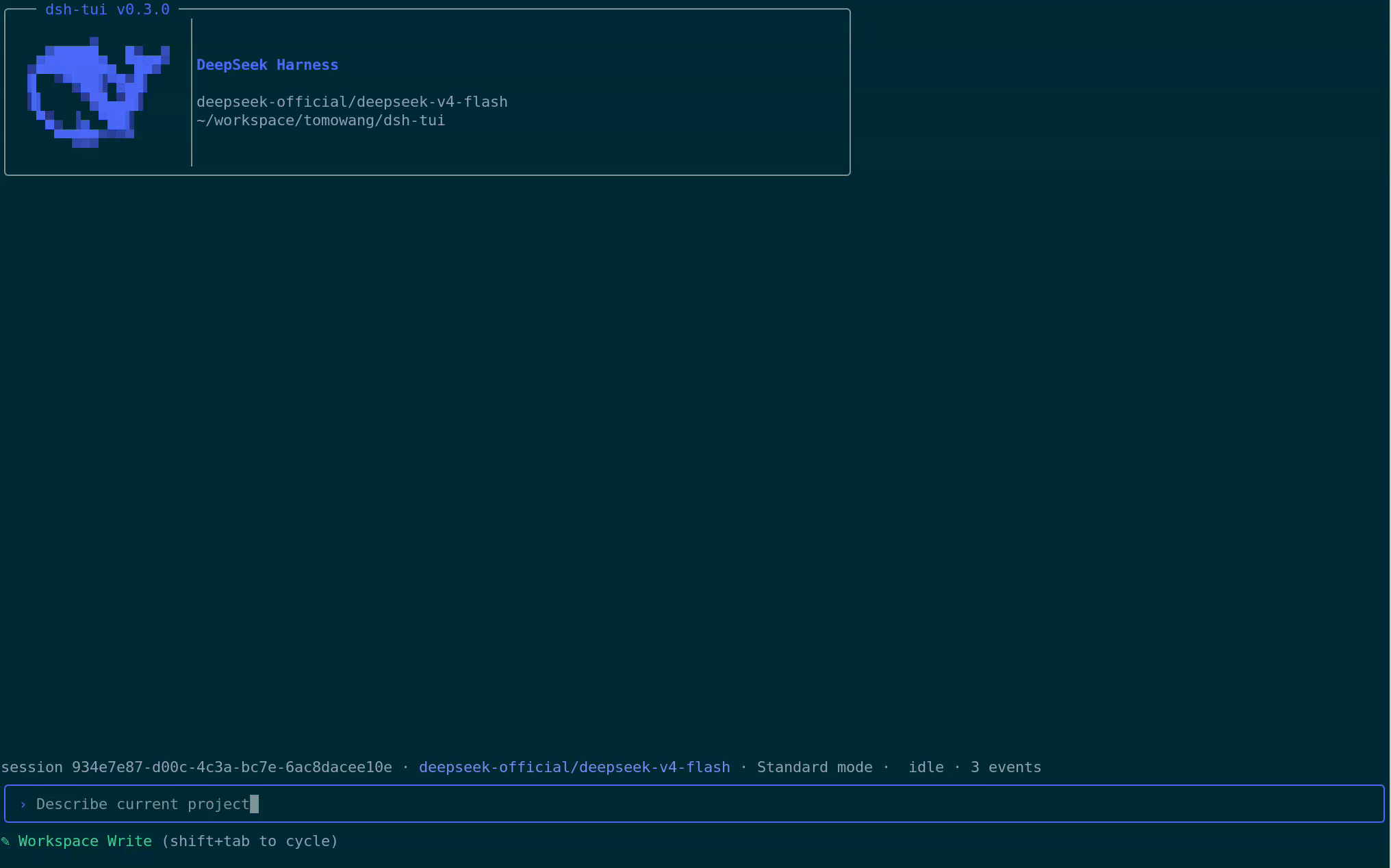
Screencast
If the player above doesn't render, watch/download it directly: assets/screencast.mp4
How it works
- The TUI renders only from the durable session log: it replays
agent.session.eventson startup and followssession/eventlive, so--resumeshows the exact history the log carries — the harness's "model-visible ⟺ logged" invariant does the heavy lifting. - Line input maps to the agent inbox:
agent.followup()while idle,agent.steer()while a turn is running,Ctrl+Ccancels the running turn. tui-startupparses this app's flags (everything after the launcher's own) throughdsh-cmdlineand publishes them as an ordinary Cordis service; the runner row reads them via the bundle patch, mirroringdsh-headless.- Both stdin and stdout must be real TTYs; the plugin fails loud instead of degrading, so pipes keep using
dsh --profile headless.
Features
- Status bar — session id, active LLM provider/model, current agent preset, live run state with spinner, and queued-message count.
- Stats line — turn/step counts, LLM/tool wall time, TTFT and decode tok/s, cache-hit %, billed tokens, and a compact context-usage summary; sections hide themselves until there's data.
/modelprovider management — switch the active model, and add, edit, or delete custom LLM providers (route, base URL, API key, model discovery) without leaving the terminal.- Agent presets — start a fresh session on a given preset with
--agent-preset, or browse and switch presets from/presets(fixed once the session's first turn has run). - Session inspectors —
/trajectoryfor a turn/step event ledger with a detail view and filtering,/contextfor a context-window usage breakdown,/pluginsfor the loaded Cordis plugin tree and fiber state. - Permission preset cycling —
Shift+Tabcyclesread-only/workspace-write/danger-full-access/custom, shown live in the prompt area. - Manual compaction —
/compactsummarizes and compacts session history on demand. - Persisted prompt history — submitted lines are saved across processes and
/clear, recalled with↑/↓. - Readline-style input — word/line motion, kill/yank-style deletes, multi-line drafts, and shell-like double-press
Ctrl+C/Ctrl+Dto exit. - Every overlay degrades to a plain notice instead of failing the whole TUI when its backing service isn't mounted in a given profile.
Install
Requires Node ^22.19 || >=24 and a DEEPSEEK_API_KEY.
# 1. Install the dsh launcher
npm install -g @deepseek-ai/dsh

# 2. Create the profile and install this bundle into it
dsh plugin --profile tui add @tomowang/dsh-tui

# 3. Declare the bundle stack in the profile manifest
#    ($DSH_HOME/profiles/tui/package.json)
#    "dsh": { "profile": { "bundles": [
#      "@deepseek-ai/dsh-base",
#      "@tomowang/dsh-tui"
#    ] } }

# 4. Run
dsh --profile tui
dsh --profile tui --resume <sessionId>           # reopen a persisted session
dsh --profile tui --agent-preset <presetId>      # start a fresh session on a given preset
dsh --profile tui --dump-config                  # inspect the composed plugin tree
Any row --dump-config prints — the model adapter, tool set, sandbox policy, this TUI's own config — can be overridden from the profile's cordis.patch.yml without touching this package. --agent-preset is a dsh-launcher flag (parsed by tui-startup, not --dump-config above) that only applies to a fresh session; it's ignored together with --resume, and is a no-op with a startup notice on profiles that don't mount dsh-agent-presets.
Terminal commands
| Input | Effect |
|---|---|
| any text | follow-up while idle, steering while a turn runs |
/model | manage LLM provider profiles: switch model, add/edit/delete a custom provider |
/presets | view and switch agent presets (fixed once the session's first turn has run) |
/trajectory | browse the turn/step event ledger with a detail inspector and filter |
/context | show context-window usage as a bar-chart breakdown |
/plugins | show the loaded Cordis plugin tree and fiber state |
/compact | summarize and compact session history |
/status | session id, run state, logged event count |
/clear | flush the current session and start a new one |
/exit, /quit | cancel, wait for idle, flush the session, exit |
Keyboard shortcuts
| Key | Effect |
|---|---|
Ctrl+C | cancel a running turn; on an idle empty line, press twice within 2s to exit |
Ctrl+D | forward-delete; on an idle empty line, press twice within 2s to exit |
Shift+Tab | cycle the permission preset (read-only / workspace-write / danger-full-access / custom) |
Tab | in /command mode, autocomplete the highlighted command |
↑ / ↓, Ctrl+P / Ctrl+N | recall prompt history, or move within a multi-line draft |
Shift+Enter, Alt+Enter, trailing \ + Enter | insert a newline instead of submitting |
Home/Ctrl+A, End/Ctrl+E, Ctrl+B/Ctrl+F/arrows | readline-style character and line motion |
Alt+Left/Alt+Right, Ctrl+Left/Ctrl+Right | move by word |
Ctrl+K/Ctrl+U, Ctrl+W/Alt+Backspace, Alt+D | kill to line end/start, kill word back/forward |
Develop
pnpm install
pnpm run build        # tsc → lib/
pnpm run typecheck
pnpm run lint
pnpm run test
To try a local checkout inside a profile, point the profile's dependency at this directory (dsh plugin --profile tui add /path/to/dsh-tui) and rebuild before each run — profiles load the built lib/ under plain Node.
Releasing
CHANGELOG.md and GitHub Release notes are generated from Conventional Commits via git-cliff. To cut a release: bump version in package.json, run pnpm run changelog, commit as chore(release): vX.Y.Z, then git tag vX.Y.Z && git push && git push --tags. The tag push triggers CI to build, create the GitHub Release, and publish to npm. See AGENTS.md for the full flow.
License
보안 및 설치 증거
이 점수는 공개 저장소 메타데이터와 이 사이트에 등록된 설치 증거에만 기반하며, 코드 보안 감사와 다릅니다.
공개 플러그인 카탈로그에서 왔으며, 공개 GitHub 저장소로 연결됩니다.
저장소가 MIT 라이선스를 선언했습니다.
최근 180일 내 코드 업데이트가 있습니다.
재현 가능한 정확한 설치 메타데이터가 아직 등록되지 않았습니다. 저장소 설명에 따라 직접 확인하세요.
prepare이(가) 감지되었습니다. 설치 전에 스크립트를 검토하세요.
lifecycle-scripts