
窗口统计
A DeepSeek Harness web plugin that shows every session's conversation progress and token usage at a glance.: All-windows overview · session analysis · cost estimation · token heatmap. 100% read-only and local — no outbound requests, no session writes.
이것은 DeepSeek Harness(DSH) 플러그인입니다. 이 사이트는 GitHub README, 설치 정보, 유지보수 상태, 공개 보안 시그널을 모아 보여줍니다.
업스트림에서 중국어 README를 제공하지 않아 저장소 원본 내용을 표시합니다.
Window Stats



A DeepSeek Harness web plugin that shows every session's conversation progress and token usage at a glance.
All-windows overview · session analysis · cost estimation · token heatmap.
100% read-only and local — no outbound requests, no session writes.
What this plugin provides
Installing this bundle adds a cross-session observability surface to every session of the target dsh profile. It reads the official tokenUsage / sessionStats / contextPressure / contextBreakdown projections (plus a tokenHistory projection it registers itself), so no host service or new RPC is required beyond that one projection unit.
| Surface | What it shows |
|---|---|
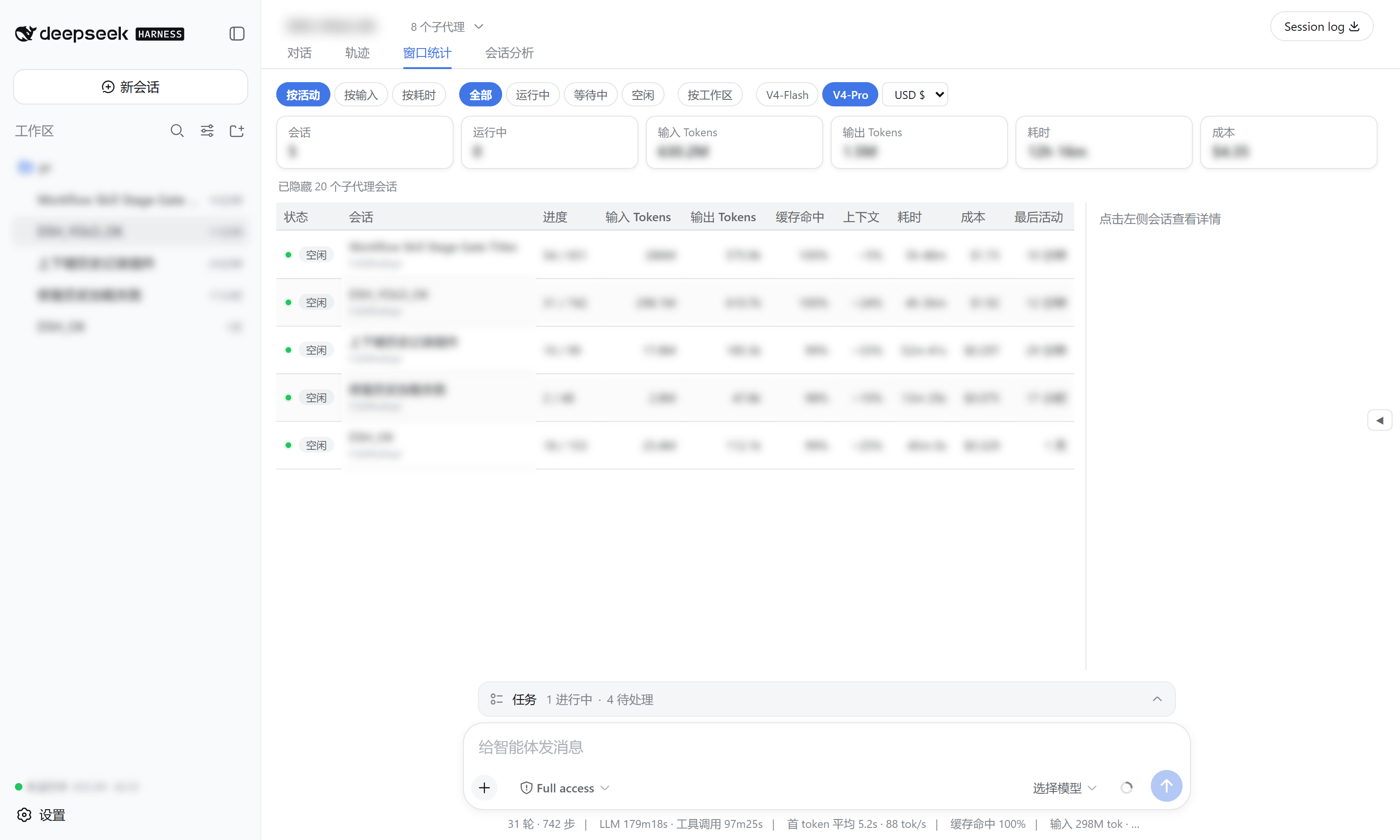
窗口统计 view tab | One row per session: status, turns/steps, input/output tokens, cache-hit ratio, context occupancy, duration, cost, last activity — with sort / filter / group-by-workspace / model & currency selectors, and a right detail panel (token buckets, context composition, timing, heatmap). |
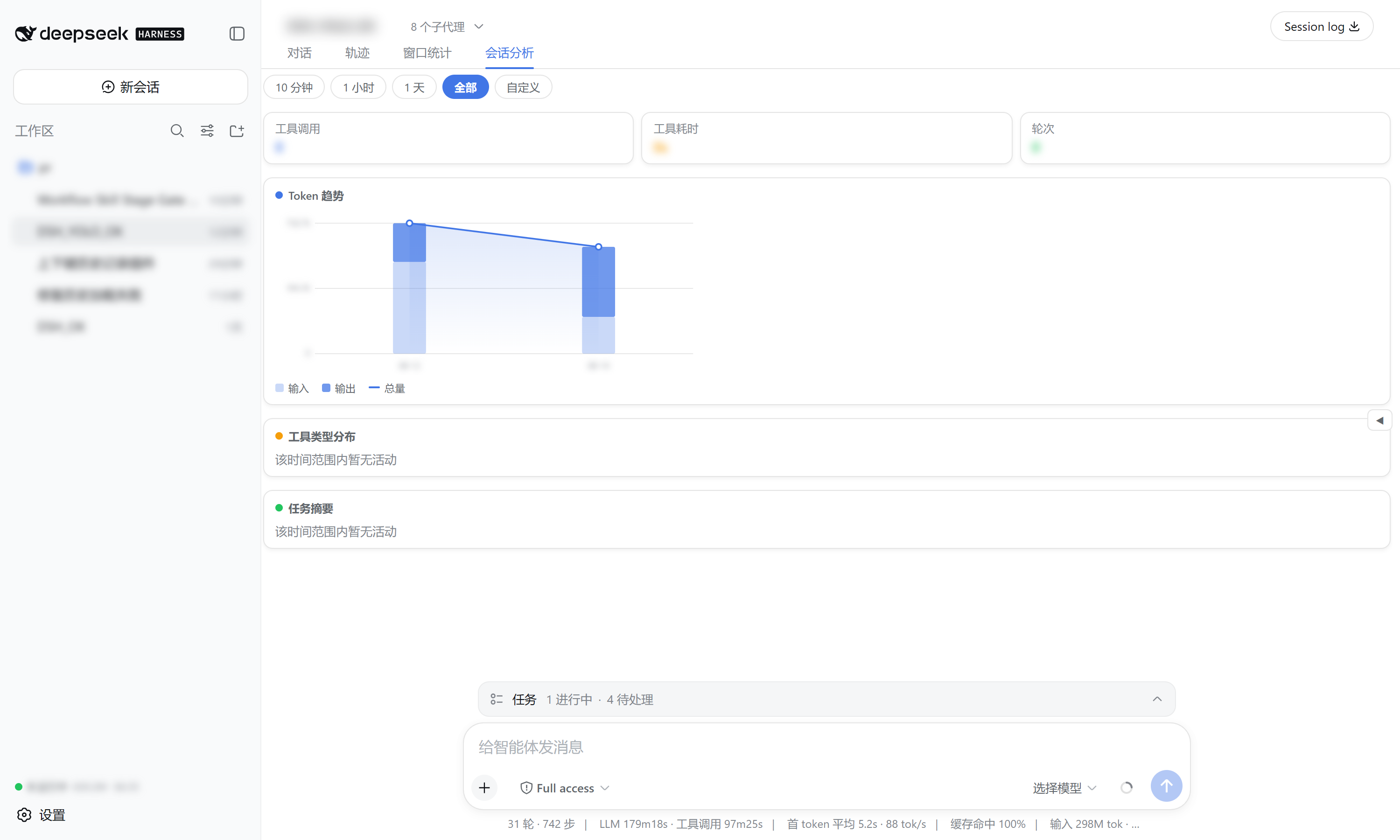
会话分析 view tab | Time-range analysis (presets + custom) of the current session: token trend chart, tool-type duration distribution (donut + bars), and per-turn task summaries. |
| Sidebar footer summary | Always-visible running count, total tokens, and cost. |
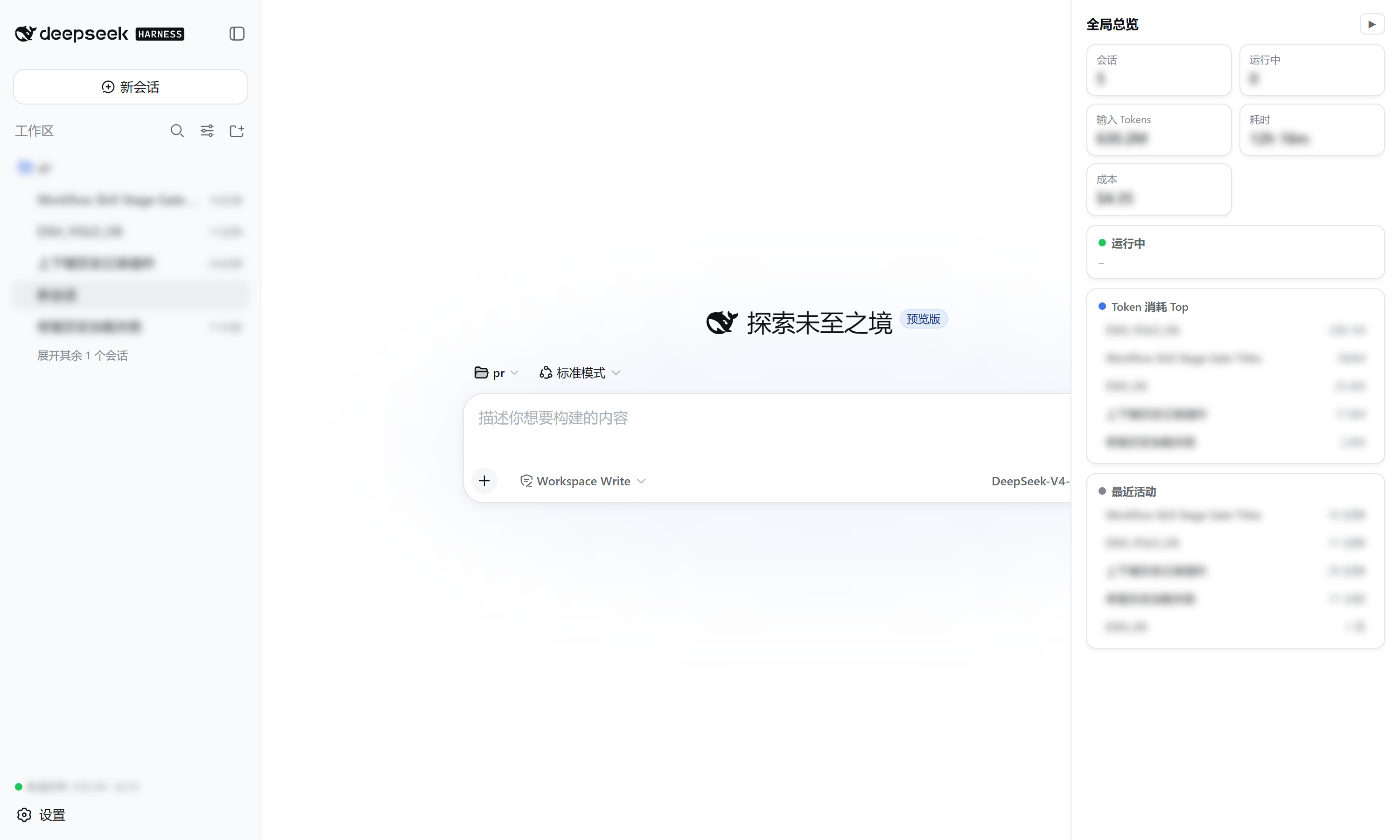
| Right overview drawer | Collapsed by default; expands to a running-sessions + top-token-consumers + recent-activity panel with click-to-open. |
Data source
| Displayed | Source |
|---|---|
| turns / steps / wall times | sessionStats projection |
| input / output / cache tokens | tokenUsage projection |
| context occupancy / composition | contextPressure + contextBreakdown projections |
| per-day token history (heatmap) | tokenHistory projection (registered by this plugin) |
| status | SessionSummary.running / pendingInteraction / completed |
Cost is estimated from DeepSeek's official pricing (V4-Flash / V4-Pro, cache-hit / cache-miss / output priced separately) with USD / CNY / EUR / GBP / JPY switching.
Install
Requires the dsh CLI (install DeepSeek Harness).
# from GitHub (recommended)
dsh plugin --profile web add github:wellorbetter/dsh-plugin-window-stats

# or from a local checkout
dsh plugin --profile web add ./dsh-plugin-window-stats
Restart the profile (dsh web) after installing. The plugin is a bundle: it declares dsh.bundle.patch, so dsh plugin reconciles it into the profile's dsh.profile.bundles automatically. It ships pre-built JavaScript (lib/), so a GitHub install needs no build step or allowBuilds permission.
Use
After restarting dsh web:
- Sidebar — the footer shows running count + total tokens + cost at all times.
- 窗口统计 tab — open any session and click the tab to see every session's progress, tokens, and cost; click a row for a rich breakdown; use the toolbar to sort / filter / group / switch model & currency.
- 会话分析 tab — analyze the current session over a time range, by tool type, with a token trend chart and task summaries.
- Right drawer — click the edge handle to expand the running / top-tokens / recent overview, click any row to open it.
Development
pnpm install
pnpm verify   # typecheck + build + test
License
MIT
보안 및 설치 증거
이 점수는 공개 저장소 메타데이터와 이 사이트에 등록된 설치 증거에만 기반하며, 코드 보안 감사와 다릅니다.
공개 플러그인 카탈로그에서 왔으며, 공개 GitHub 저장소로 연결됩니다.
저장소가 MIT 라이선스를 선언했습니다.
최근 180일 내 코드 업데이트가 있습니다.
재현 가능한 정확한 설치 메타데이터가 아직 등록되지 않았습니다. 저장소 설명에 따라 직접 확인하세요.
검사한 패키지 메타데이터에 설치 라이프사이클 스크립트가 선언되지 않았습니다.