
liuyuelintop/dsh-conversation-exporter
将当前 DSH 对话或选定轮次导出为干净、易读的 Markdown。
这是一个 DeepSeek Harness(DSH)插件。本站汇总其 GitHub README、安装信息、维护状态与公开安全信号。
上游未提供中文 README,当前展示仓库原始内容。
DSH Conversation Exporter
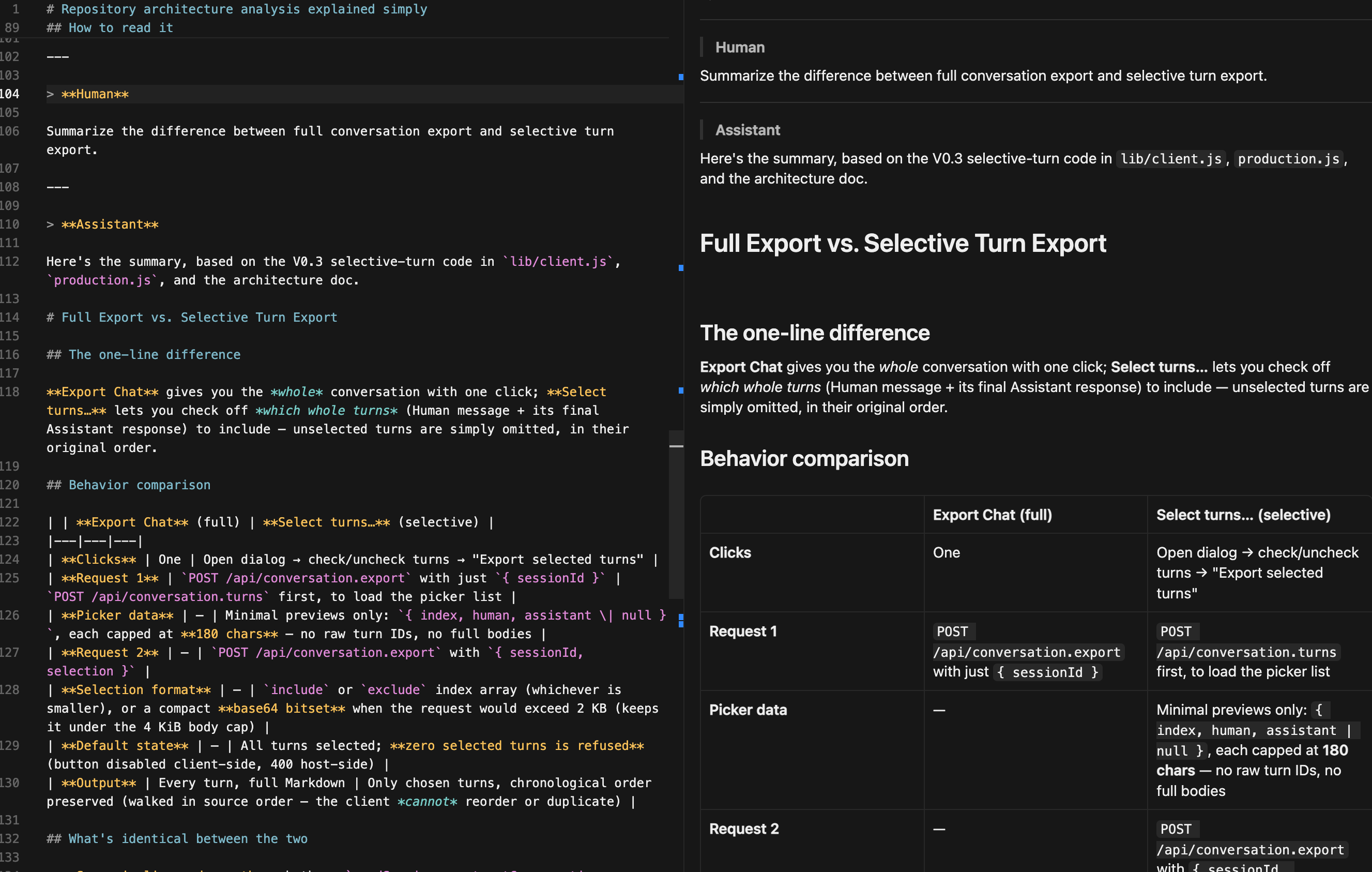
DSH Conversation Exporter adds two local export actions to DeepSeek Harness (DSH) Web. Export Chat downloads the whole current conversation as clean, readable Markdown in one click. Select turns… exports a chosen subset of whole conversation turns. A turn means the Human message or messages plus the corresponding final Assistant response; selected turns keep their original chronological order, and unselected turns are omitted.
Demo
Export directly from DSH Web
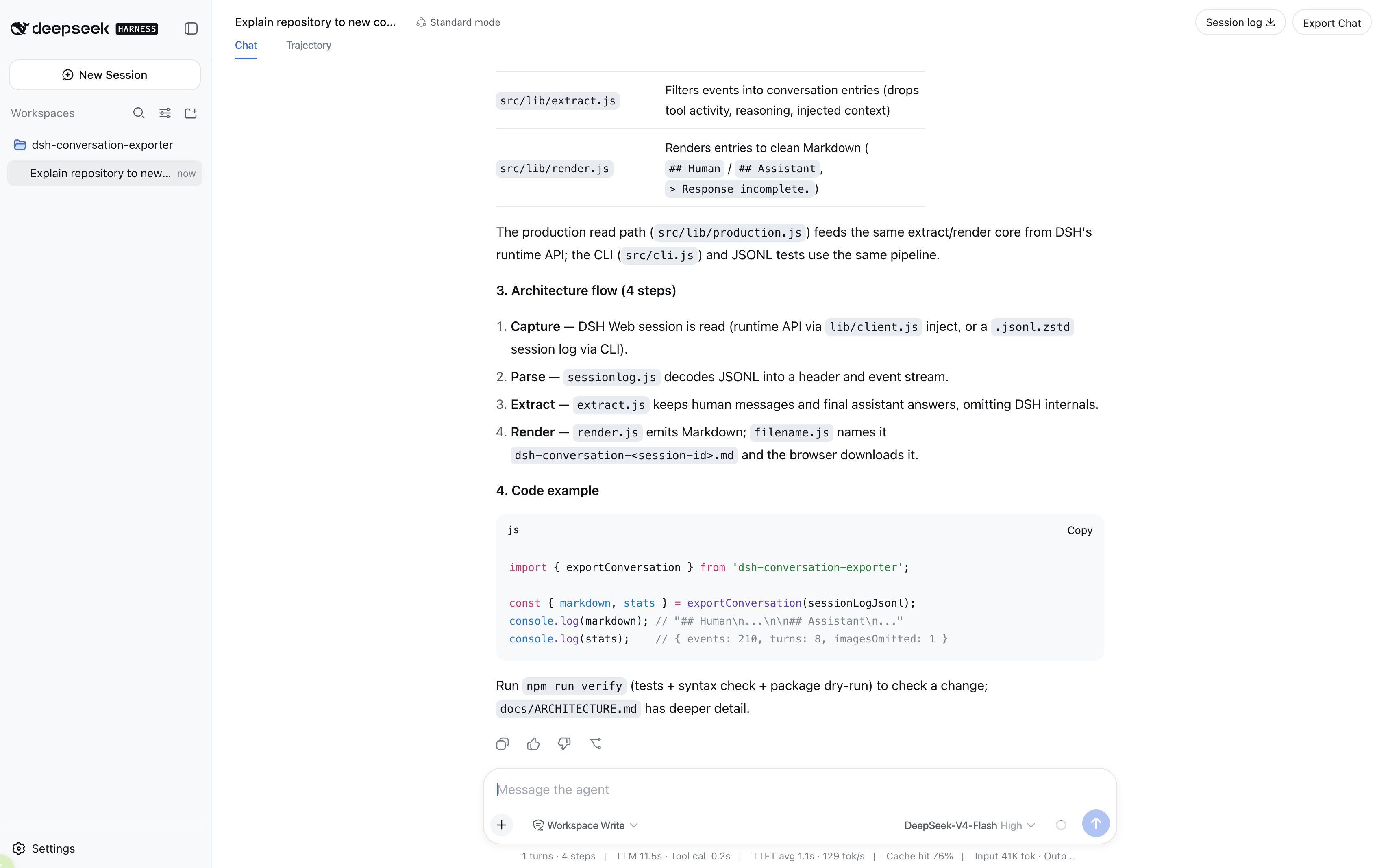
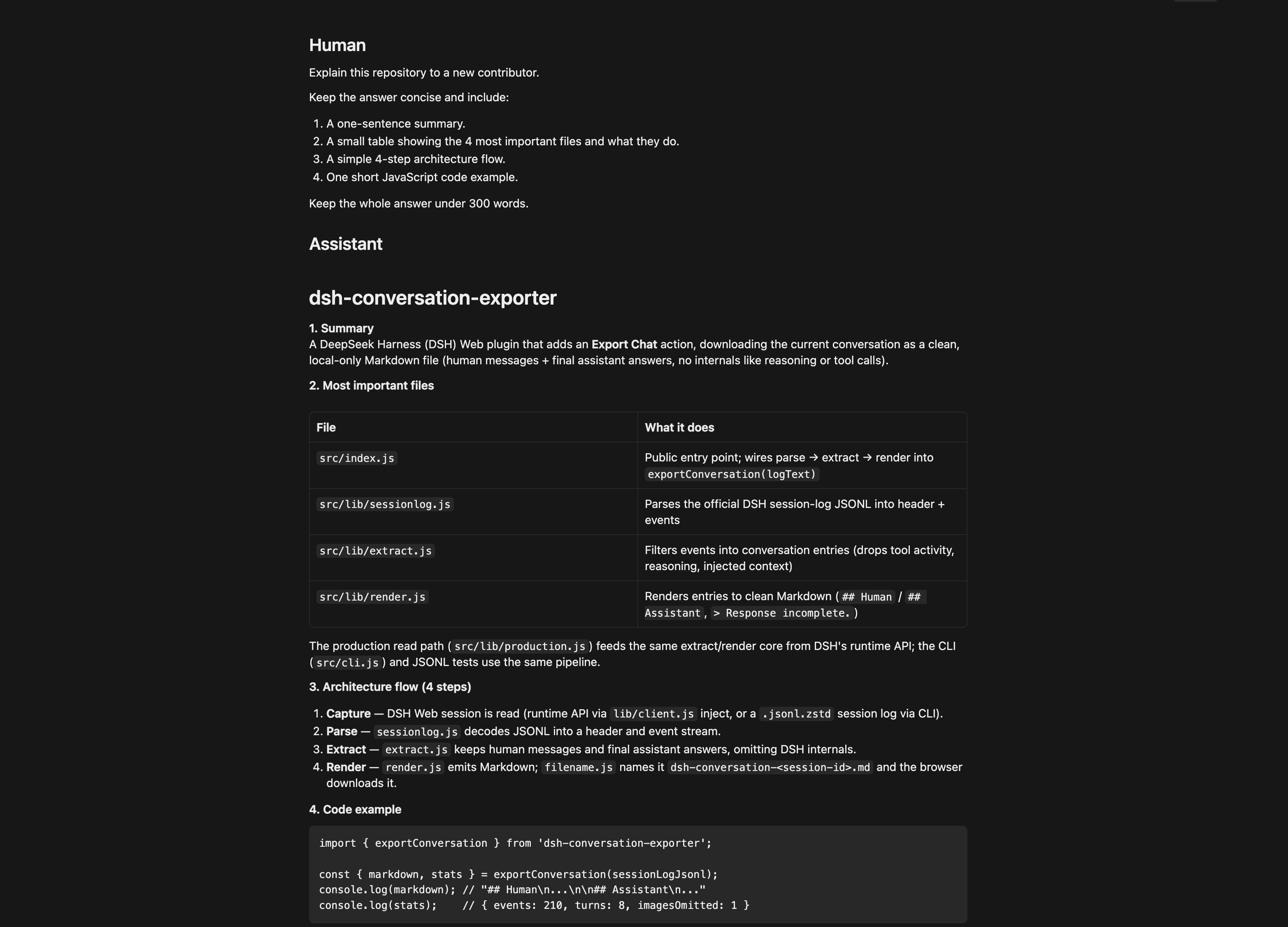
Clean Markdown output
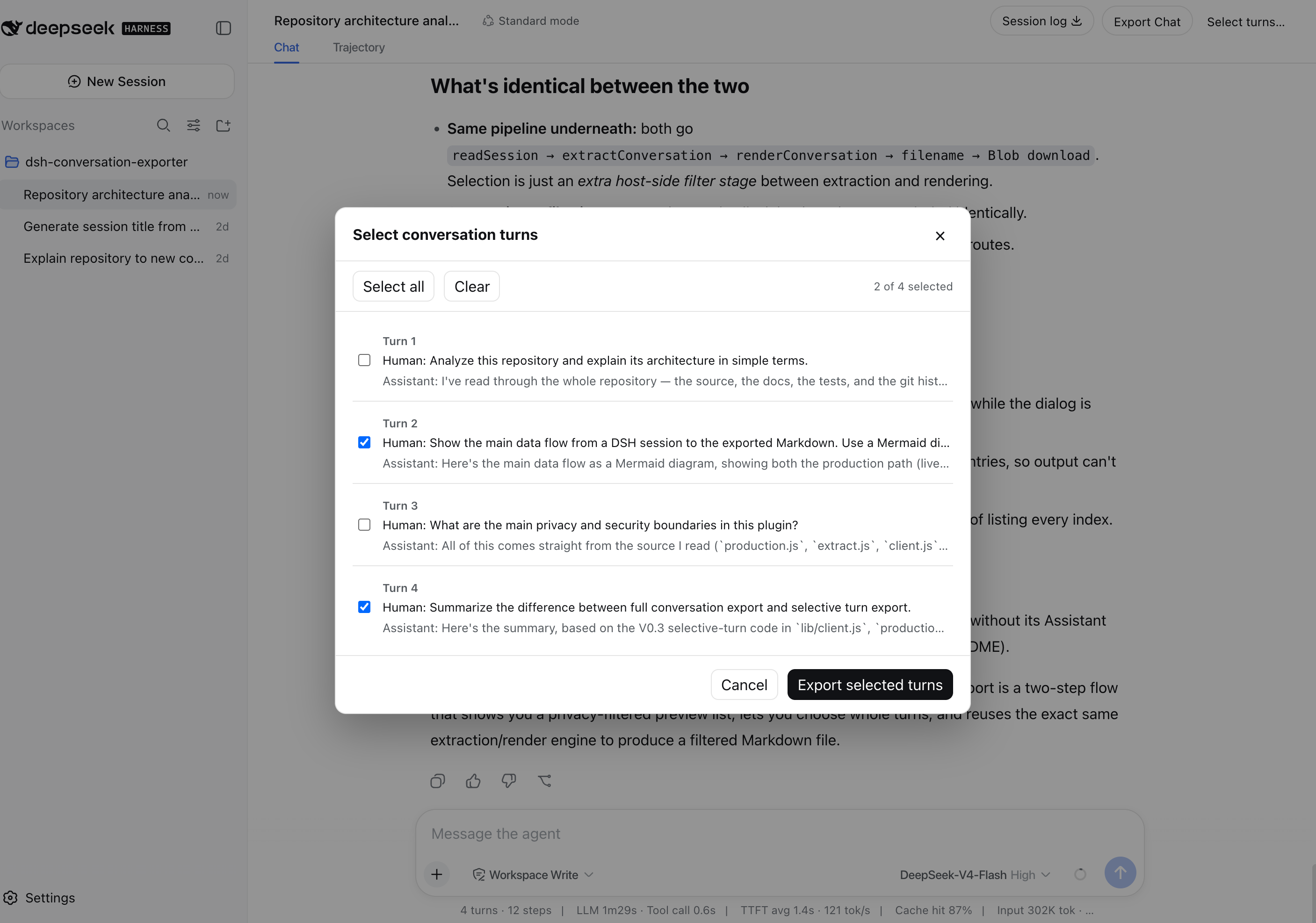
V0.3 Selective Turn Export
Choose only the whole conversation turns you want to keep.
Selected turns preserve rich Markdown, including Mermaid diagrams.
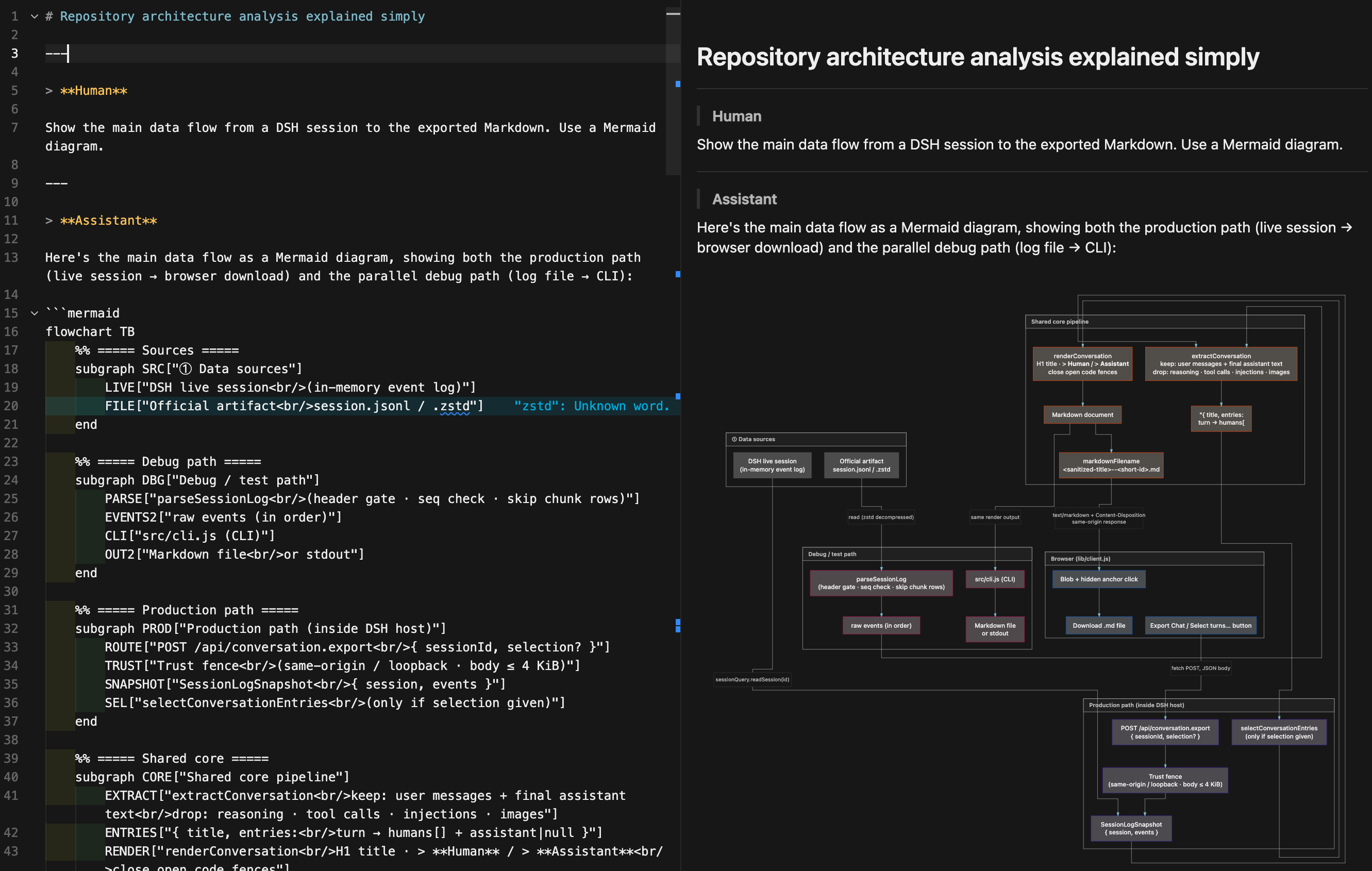
Unselected turns are omitted while the original chronological order is preserved.
Export Chat vs. Session Log
Export Chat is an additive action; it does not replace or modify DSH's official Session Log export.
| Export Chat | Official Session Log | |
|---|---|---|
| Purpose | Reading and AI handoff | Debugging, recovery, and replay |
| Contents | Human messages and final assistant answers | Raw events, chunks, tool activity, metadata, and attachments |
| Format | One Markdown file | ZIP of JSONL artifacts and media |
Use Export Chat when you want the conversation. Use Session Log when you need a lossless record of how DSH produced it.
Install and activate
For DSH installations run through npx @deepseek-ai/dsh, add the plugin to the web
profile:
npx @deepseek-ai/dsh plugin --profile web add dsh-conversation-exporter@latest
Adding the package to the web profile activates its host and browser components. If DSH
Web is already running, stop it and restart it so the profile is recomposed:
npx @deepseek-ai/dsh web
Use
- Open a conversation in DSH Web.
- Select Export Chat to download the whole current conversation immediately, or Select turns… to choose whole turns from a chronological list.
- If using the selector, all turns start selected. Use Select all or Clear as needed, then choose Export selected turns. Export remains disabled when none are selected.
- Your browser downloads
<session-title>--<short-session-id>.md, for exampleProject-Architecture-Guide--2002da4d.md.
The latest readable DSH session title becomes the Markdown H1 and a safe, readable
filename stem: <session-title>--<short-session-id>.md. The export uses blockquoted
Human and Assistant labels and preserves message Markdown. If one message leaves a
fenced code block open, the exporter closes that fence before the next transcript
section. An unanswered turn is marked with > Response incomplete., and an image-only
human message is retained as [Image omitted].
Privacy
Exporting is local-only. The plugin reads the selected DSH session through the local DSH runtime and returns the Markdown to the same local Web application. It has no upload, cloud storage, telemetry, or analytics path. The repository contains only hand-written, sanitized test conversations. The selector receives only short previews derived from the already-filtered conversation. The selector and Markdown export exclude reasoning, tool calls and results, injected context, runtime metadata, and raw Session Log data.
Limitations
- Exports the current session only, in Markdown only.
- Selects whole conversation turns only; Human and Assistant bubbles cannot be selected independently.
- Keeps human-authored text and the final assistant answer; attachments, reasoning, tool activity, injected context, subagent logs, and intermediate responses are omitted.
- Preserves message Markdown verbatim except for a deterministic closing fence added when a message otherwise ends inside a fenced code block.
- Images are not embedded; an image-only human message is represented by the
[Image omitted]placeholder.
Compatibility
DSH is developer-preview software and its plugin APIs may change. V0.3 targets
@deepseek-ai/dsh@0.1.0-rc.6; a later DSH version may require an exporter update.
Development
Requires Node.js 20 or newer.
To install the plugin from a local checkout for contributor or development testing:
npx @deepseek-ai/dsh plugin --profile web add .
Run the project verification locally:
npm run verify
This runs the complete test suite, JavaScript syntax checks, and an npm package dry-run.
Licensed under the MIT License.
安全与安装证据
该分数只基于公开仓库元数据与本站登记的安装证据,不等同于代码安全审计。
来自公开插件目录,并链接到公开 GitHub 仓库。
仓库声明 MIT 许可证。
最近 180 天内有代码更新。
尚未登记可复验的精确安装元数据,请按仓库说明手动检查。
已检查的包元数据未声明安装生命周期脚本。